Everything saved. Nothing to manage.
I led the design of a web application that uses AI to organize files and fuel creativity.


Feature 1
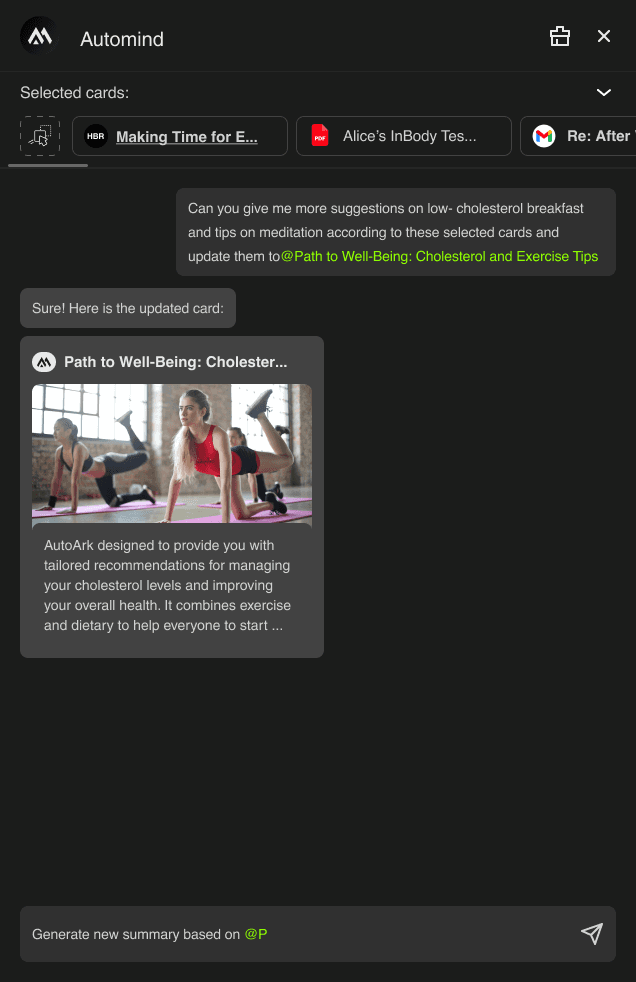
Bringing saved content into AI Copilot conversations
Feature 2
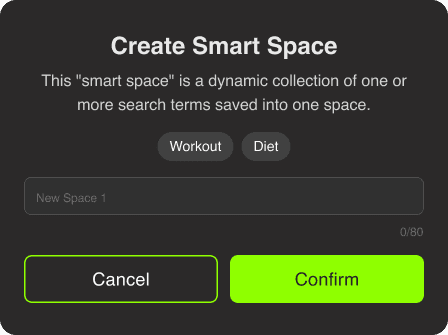
Used AI-Generated Smart Tags and Smart Spaces
to Make Information Instantly Findable
Feature 3
Card Details and Management
Feature 4
Responsive Design

Highlight
I led the validation of the problem to shape Smart Tags, Smart Space logic, and Copilot AI–powered personalized inspiration feeds.
It fundamentally changed how users interacted with their knowledge. Instead of manually organizing files, users could now explore, connect, and activate their content through conversation and AI-driven insights.
$1.8M
Contributed to securing $1.8M in VC funding
36%
increase in subscription intent (user survey)
Background
Context and Constraints

CONTEXT
Investors saw strong potential in a product that combines file management with AI agents, helping creators organize and generate content in one unified workspace.
MARKET REALITY
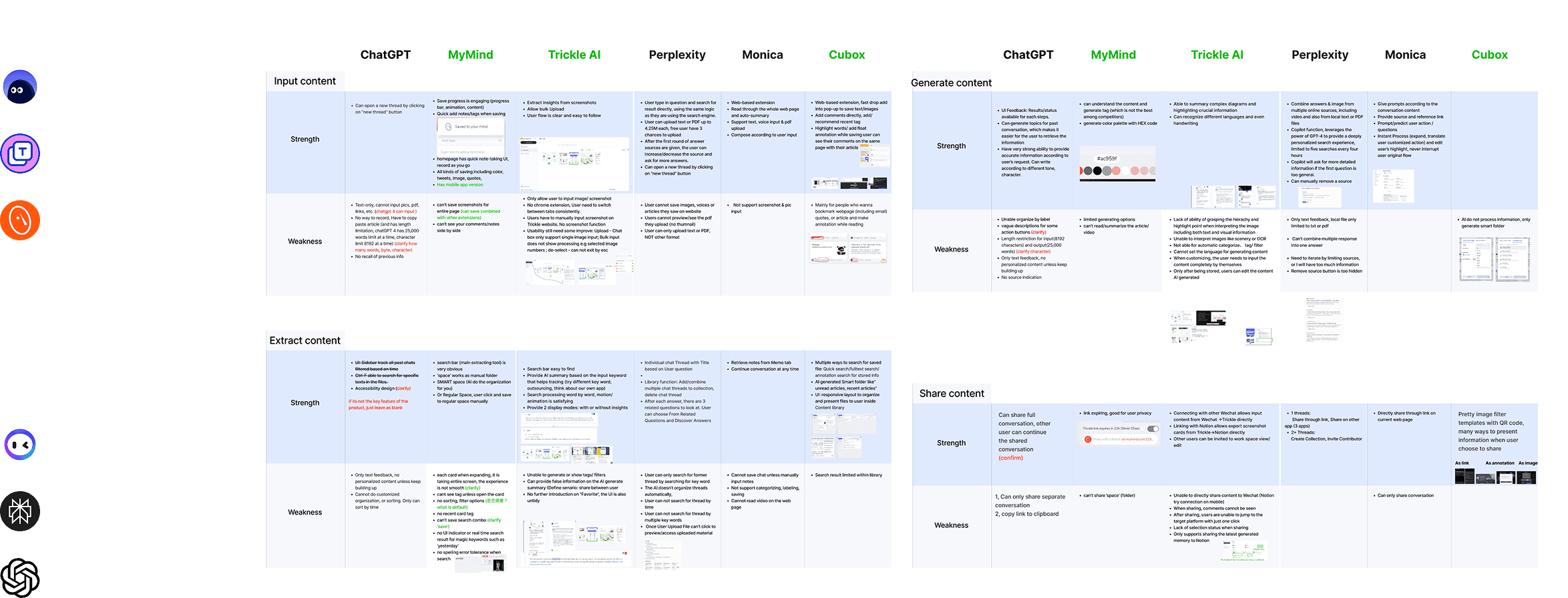
Although some file organization tools have introduced AI features, they often operate as invisible, backend agents. To differentiate our product, we positioned AutoArk AI as an interactive Copilot that users can actively engage with.
Competitive Analysis
WHAT MAKES OUR PRODUCT STAND OUT?
Identifying the “Copilot” Vision as the Key Product Differentiator
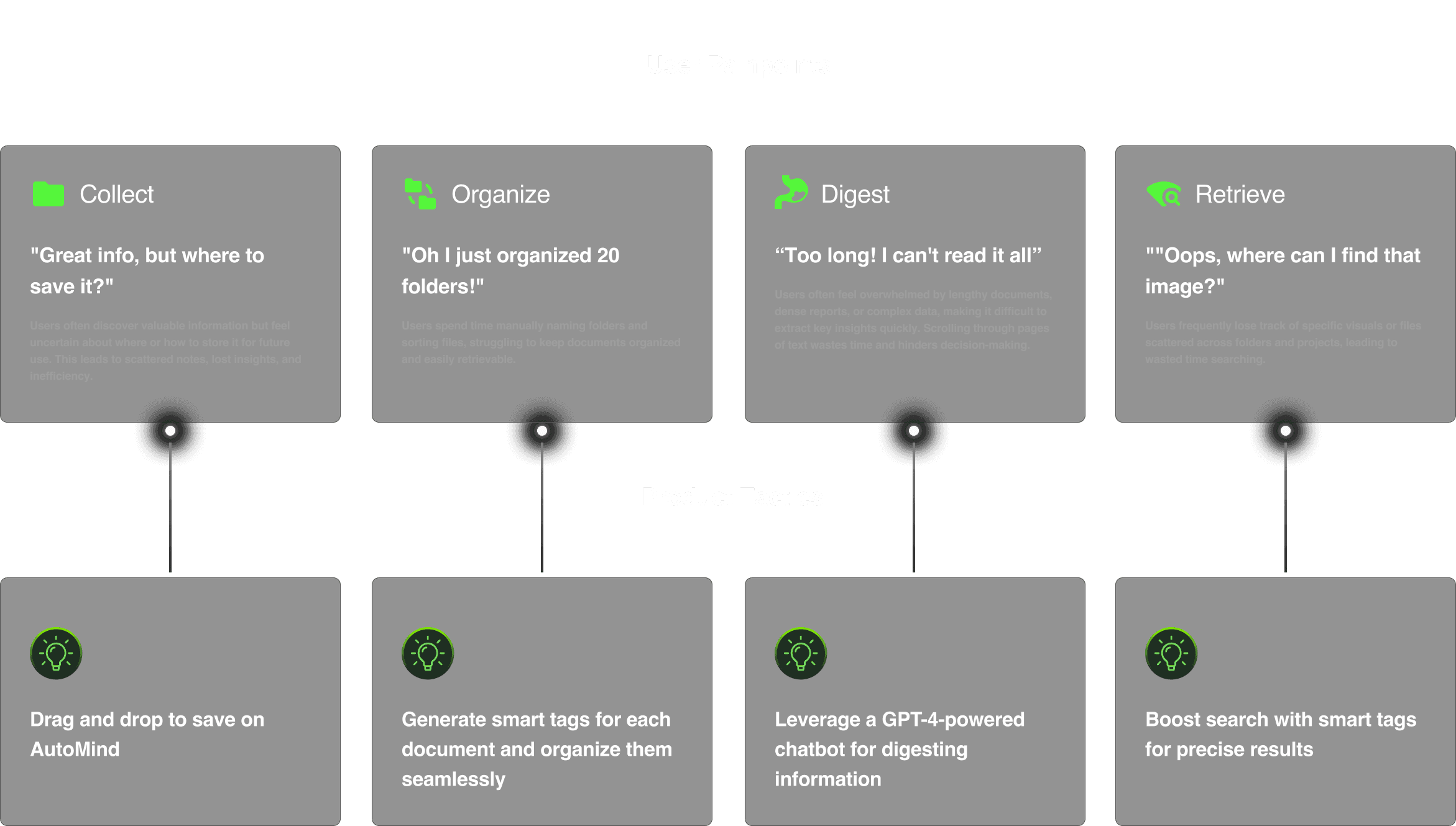
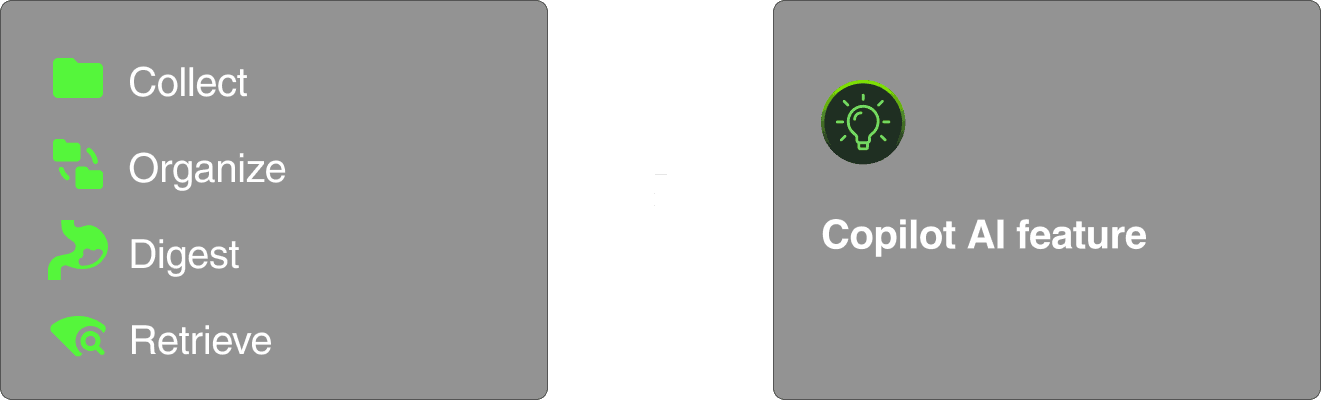
After aligning with engineering on technical constraints, we defined a four-step AI collaboration model: collect, organize, digest, and retrieve.
HOW
4 Challenges about the "How"
I’m going to share 4 stories about how we created a simple, insightful, and accessible experience for collecting, organizing, digesting, and retrieving information with the help of Copilot AI.
Challenge 1
How I Used AI-Generated Smart Tags and Smart Spaces to Make Information Instantly Findable!
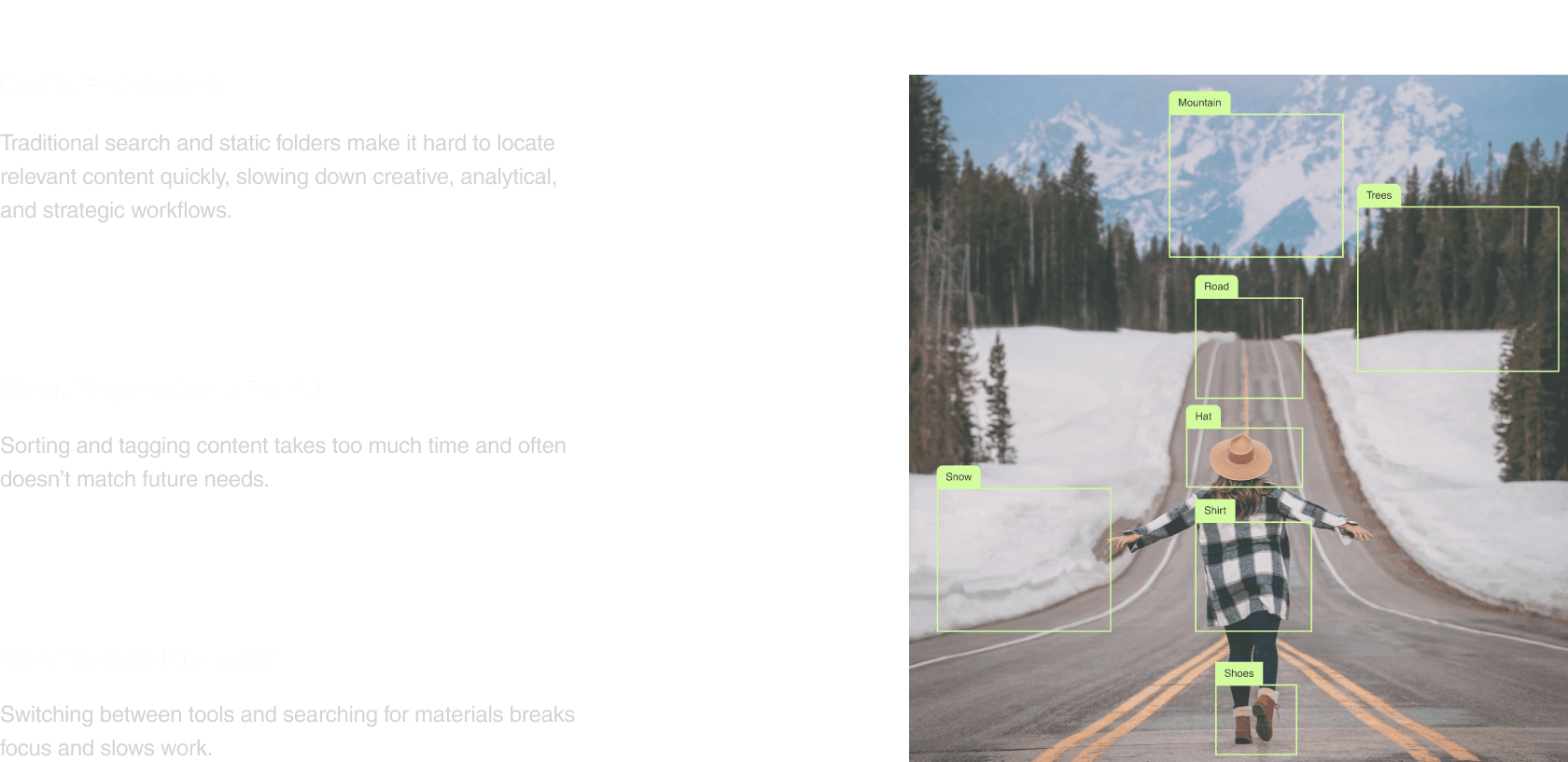
Identifying User Pain Points in Retrieving Saved Documents
I conducted user surveys and stakeholder interviews to identify the key challenges people face when saving and retrieving information.
user survey
stakeholder interview
Mapping the Workflow to Turn Chaos into Clarity
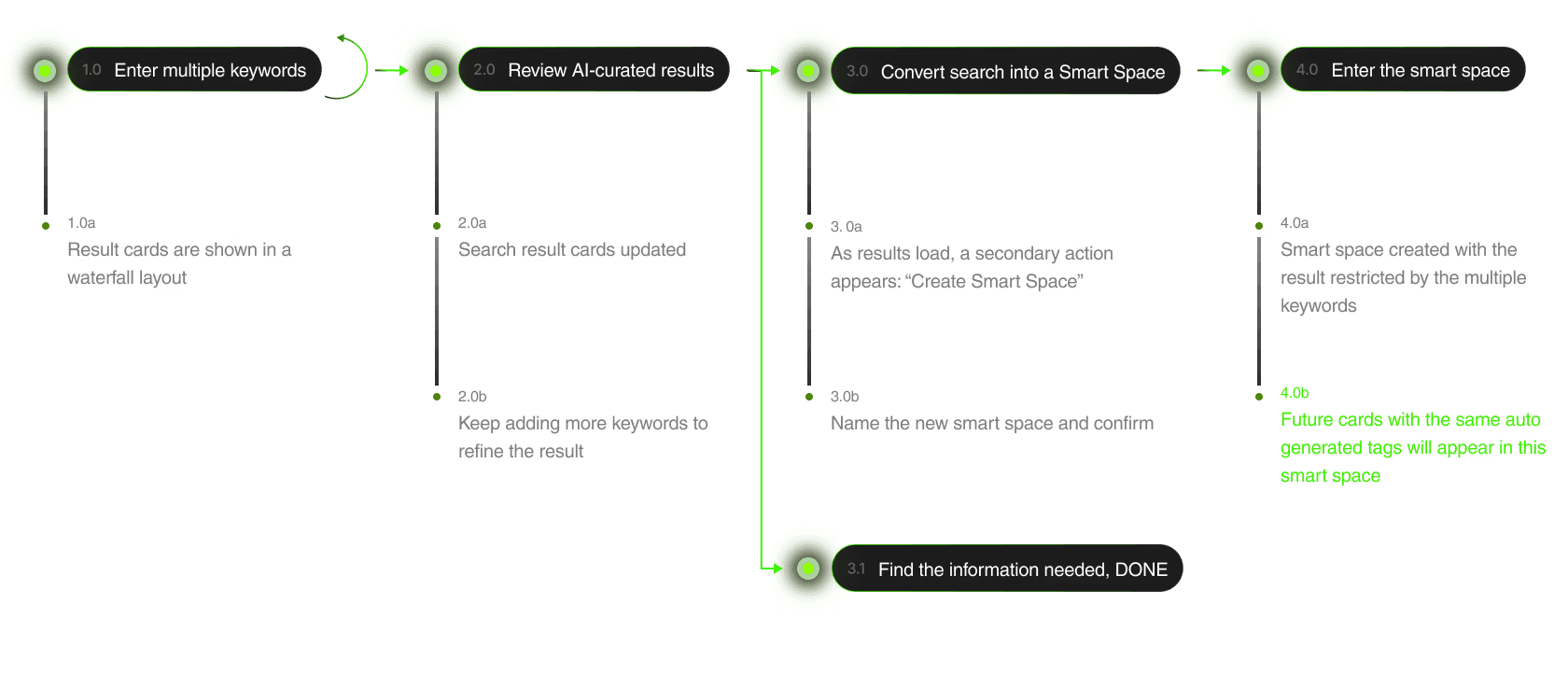
I brought engineers into early workflow mapping sessions to discuss the feasibility of the smart space creation workflow. Together, we developed the idea that users could create a smart space based on multiple tags they search for, and save it for future use. Any newly saved content with the same AI-generated tags would automatically appear in that smart space, making it much easier for users to organize and retrieve information.
user flows
technical feasibility alignment
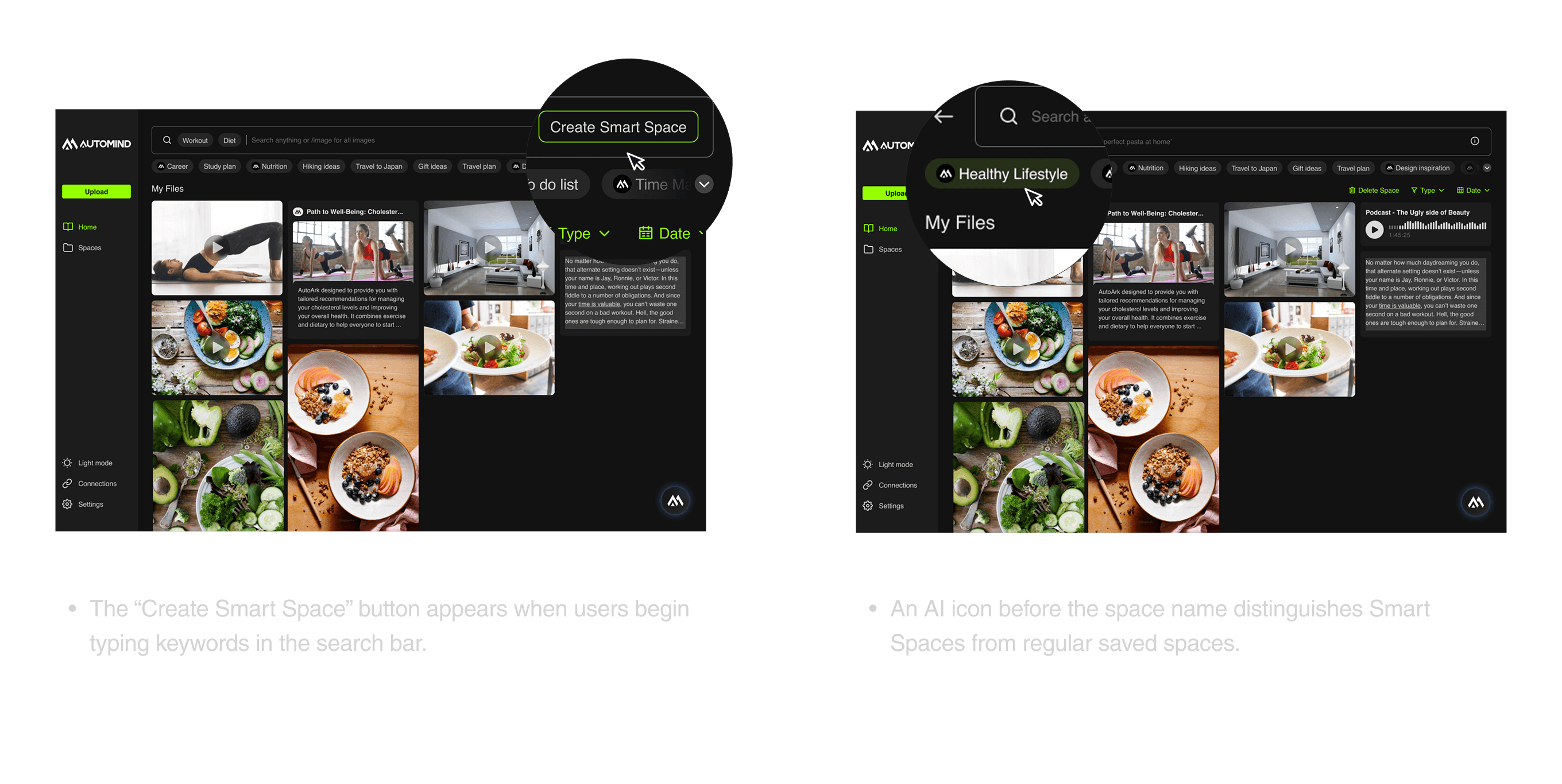
Exploring When and Where the “Create Smart Space” Button Should Appear
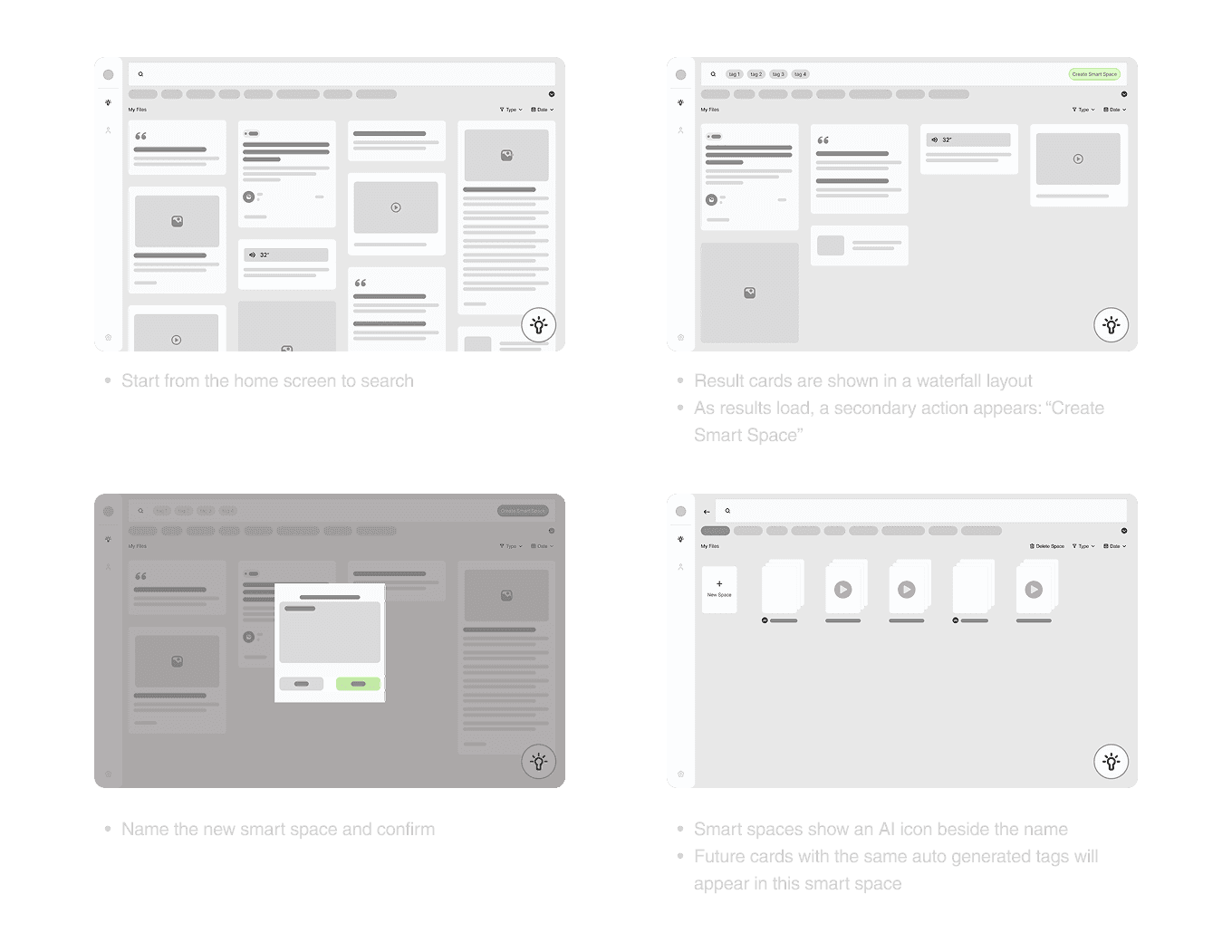
Through several rounds of brainstorming, we explored different ideas about when and where to place the “Create Smart Space” action. We found the most intuitive moment was when users begin typing keywords in the search bar. At that point, users can choose to create a Smart Space based on their search for future use, or simply perform a one-time search.
low-fi
rapid prototype
Test and Iterate
Moderated usability test with initial design
After aligning the initial visualization and flow of the smart space with stakeholders, the PM and I conducted two rounds of moderated UX testing with 10 users.
The tests focus on collecting feedback on:
UX affordance & clarity
Insights delivery
Missed use cases
Hi-Fi
stakeholder alignment
moderated usability test

CHALLENGE 2
Exploring Features That Turn Copilot AI into an Inspiration Tool
Aligning the Team on the Direction of Copilot as an AI Inspiration Tool
I organized a design team meeting to explore concepts for AI-generated inspiration features. During the session, we developed two initial ideas.
Hi-Fi
stakeholder alignment
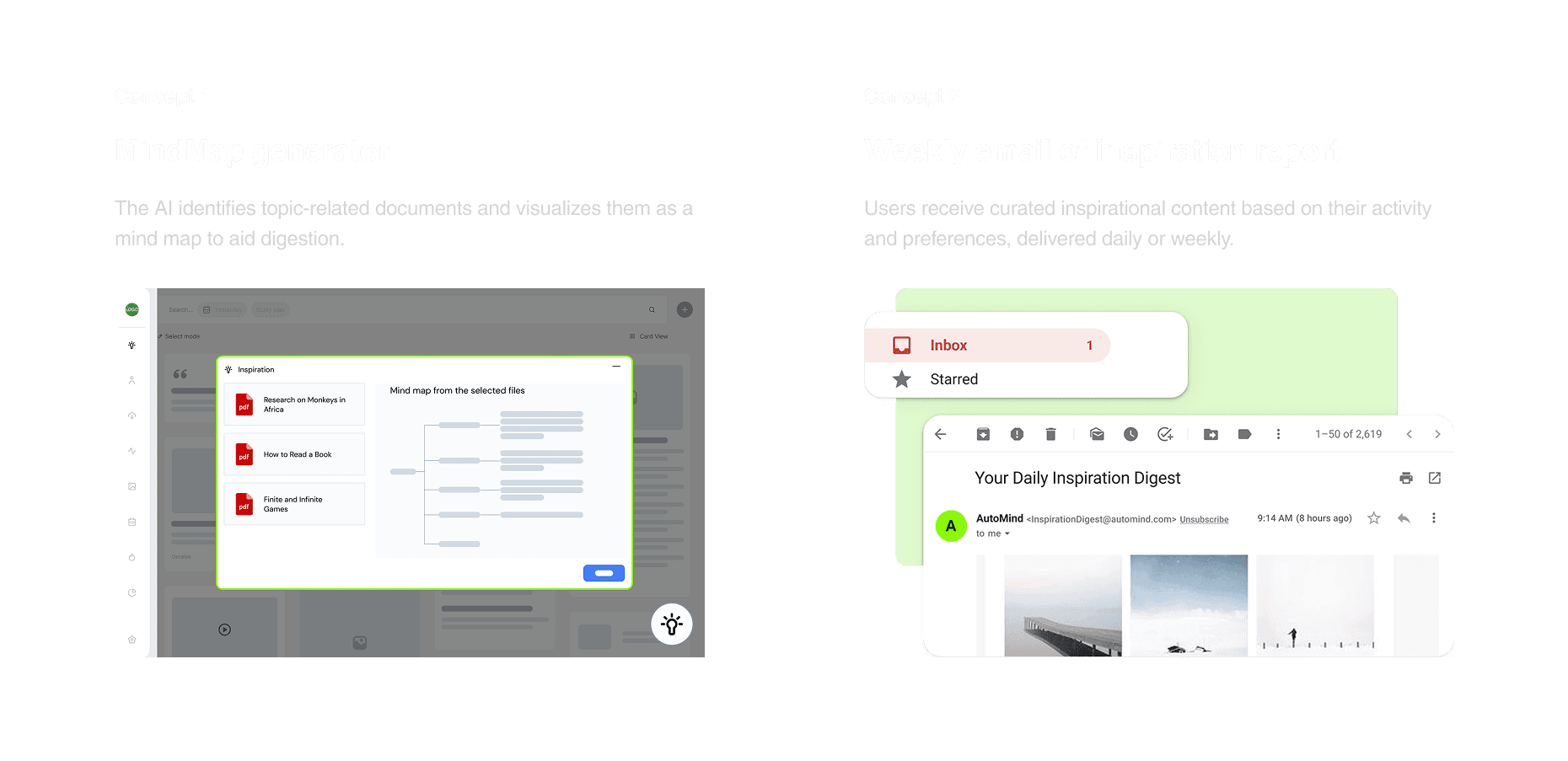
However, the PM pushed back on these concepts, noting that they were not aligned with the product direction. We realized the solutions were too passive and did not actively support users in their current workflows.
To address this, I facilitated a design workshop to realign the team on the core principles for Copilot AI. Together, we defined three key design principles:

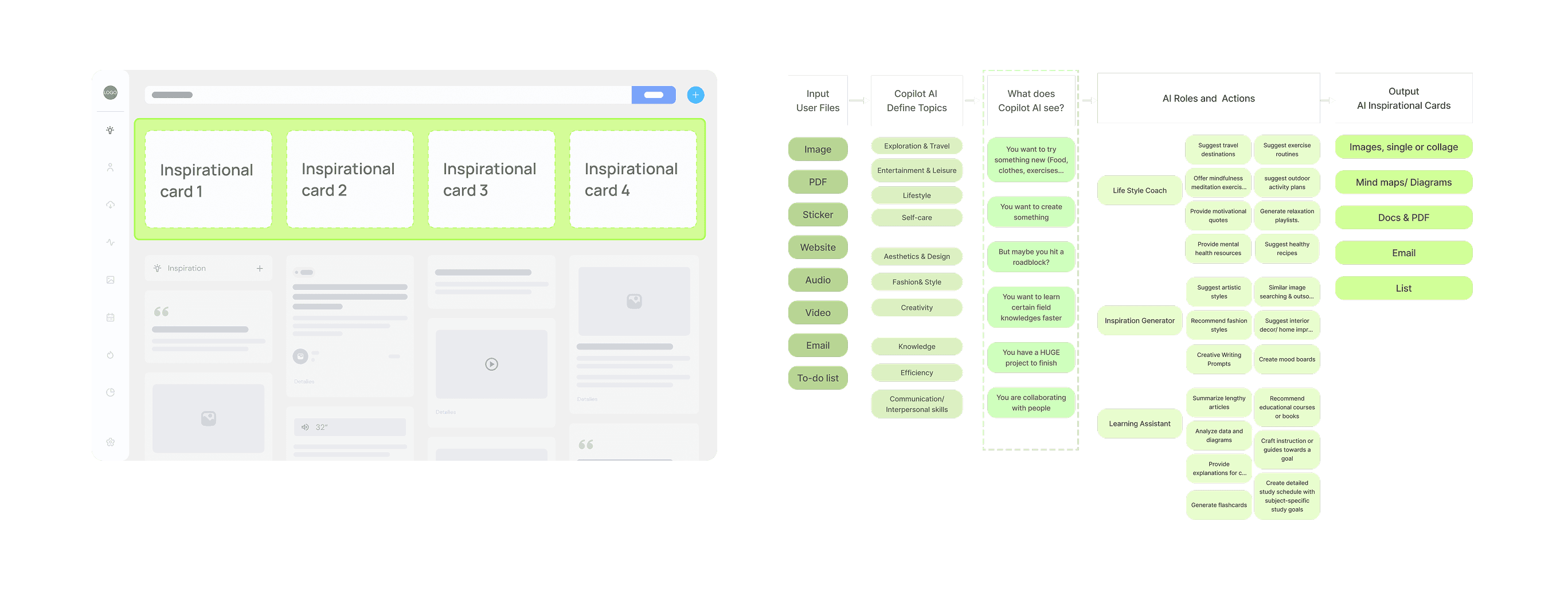
Applying these principles, I worked with a designer to explore scenarios where Copilot AI could generate cards based on users’ content and needs. Once the team aligned on the Copilot direction, I formalized the AI logic model and translated the concepts into a structured, actionable framework.
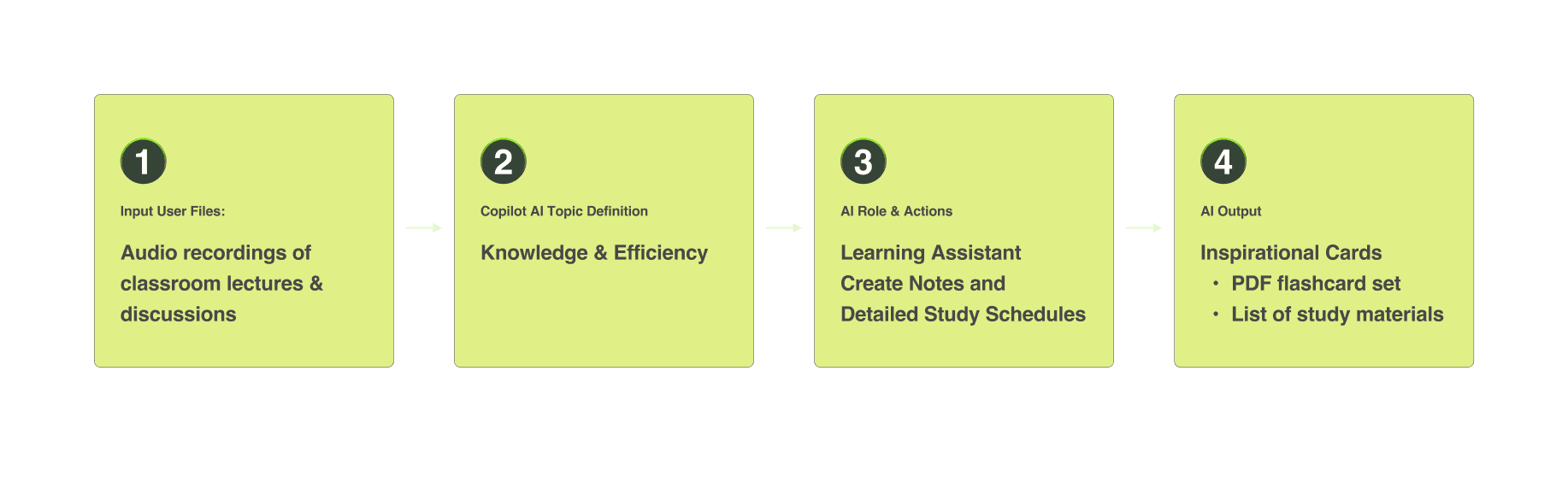
Here's a User Case Example:
Designing Edge Cases for Loading and Empty States
Hi-Fi
stakeholder alignment
I explored edge cases such as first-time use when no content exists, designing appropriate empty and loading states to guide users.

Intro to Inspiration Card
The example below demonstrates how inspiration cards are displayed after loading.
CHALLENGE 3
How might we help the users manage and organize
the cards they saved efficiently?
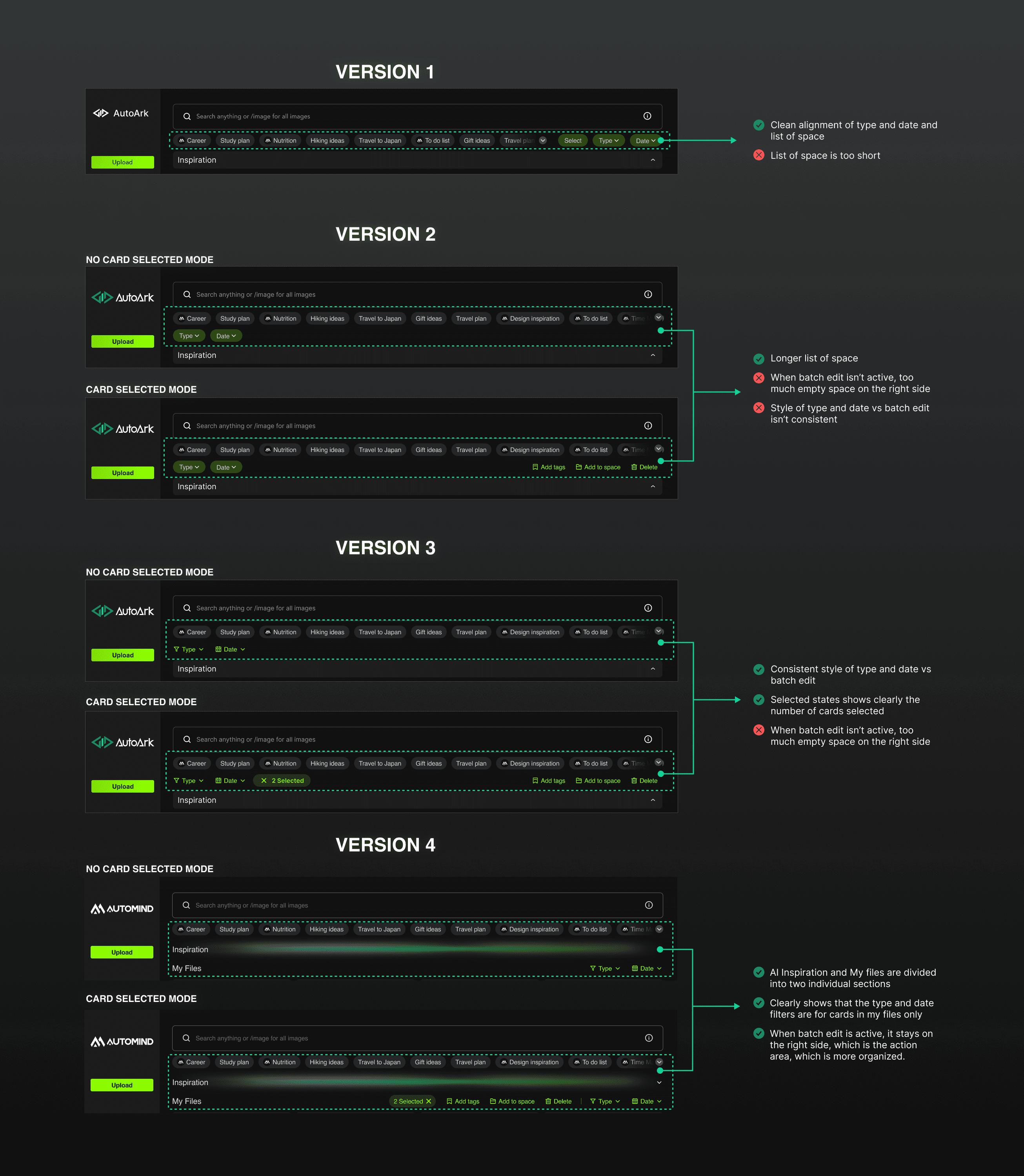
Rapidly Prototyped 4 Micro-Interaction Variations
While the team implemented the saved-as-card feature, I rapidly prototyped 4 iterations of the manage and filter tools. Through moderated testing with five users, we validated that the final version—combining batch editing with the filtering on the right-side and lines up with My Files —was the most effective approach.
usability testing
micro interactions
rapid prototype
CHALLENGE 3
How might we bring user saved content into AI Copilot conversations?
Leveraging Mid-Fidelity Prototypes to Accelerate Stakeholder Feedback
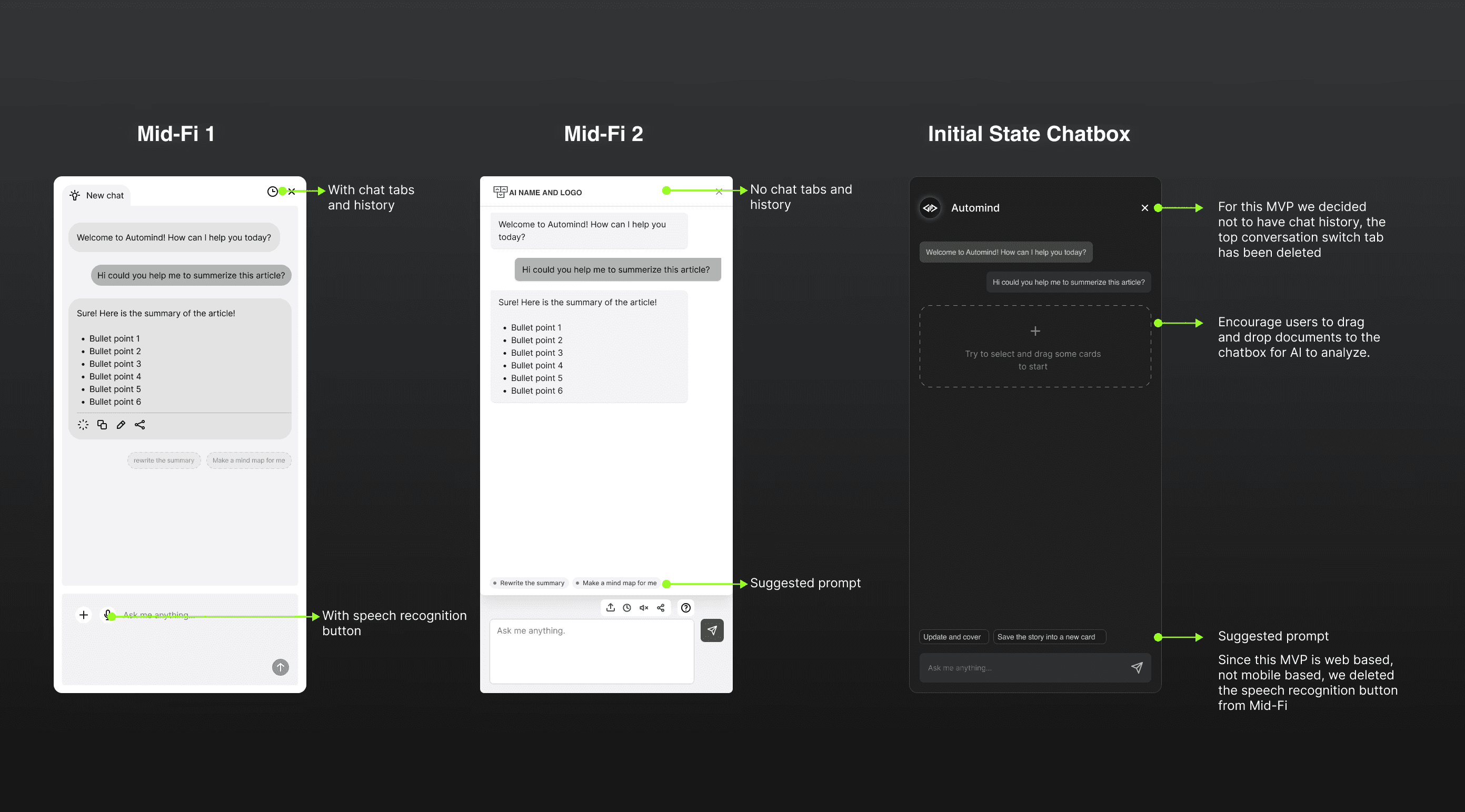
I collaborated with PM and engineering to refine the chatbox design, prioritizing the MVP by deferring speech recognition and chat history to future iterations. We aligned on including suggested prompts and a dashed drop zone with a plus icon to encourage drag-and-drop inputs for AI analysis.
stakeholder alignment
mid-fi
rapid prototype
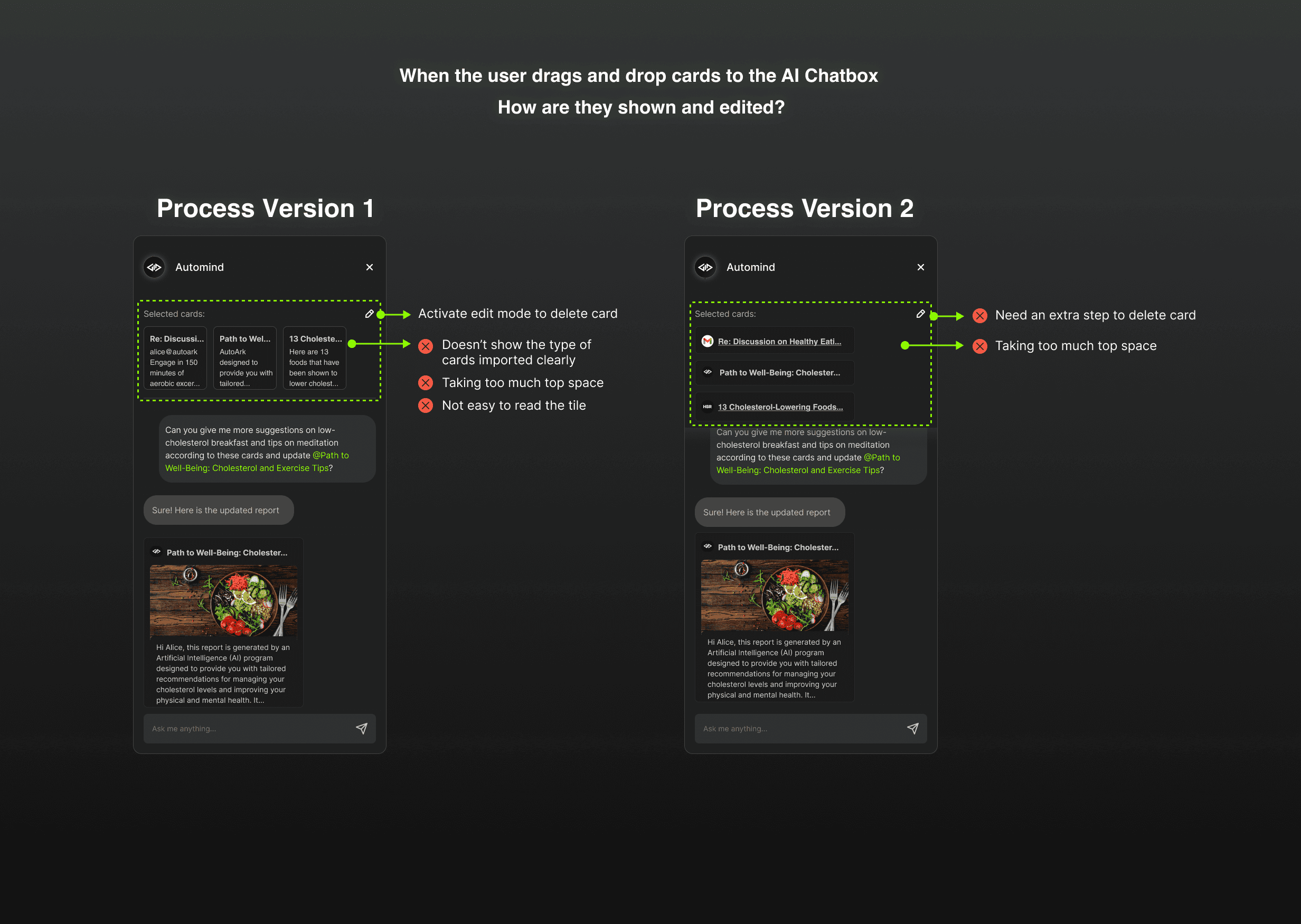
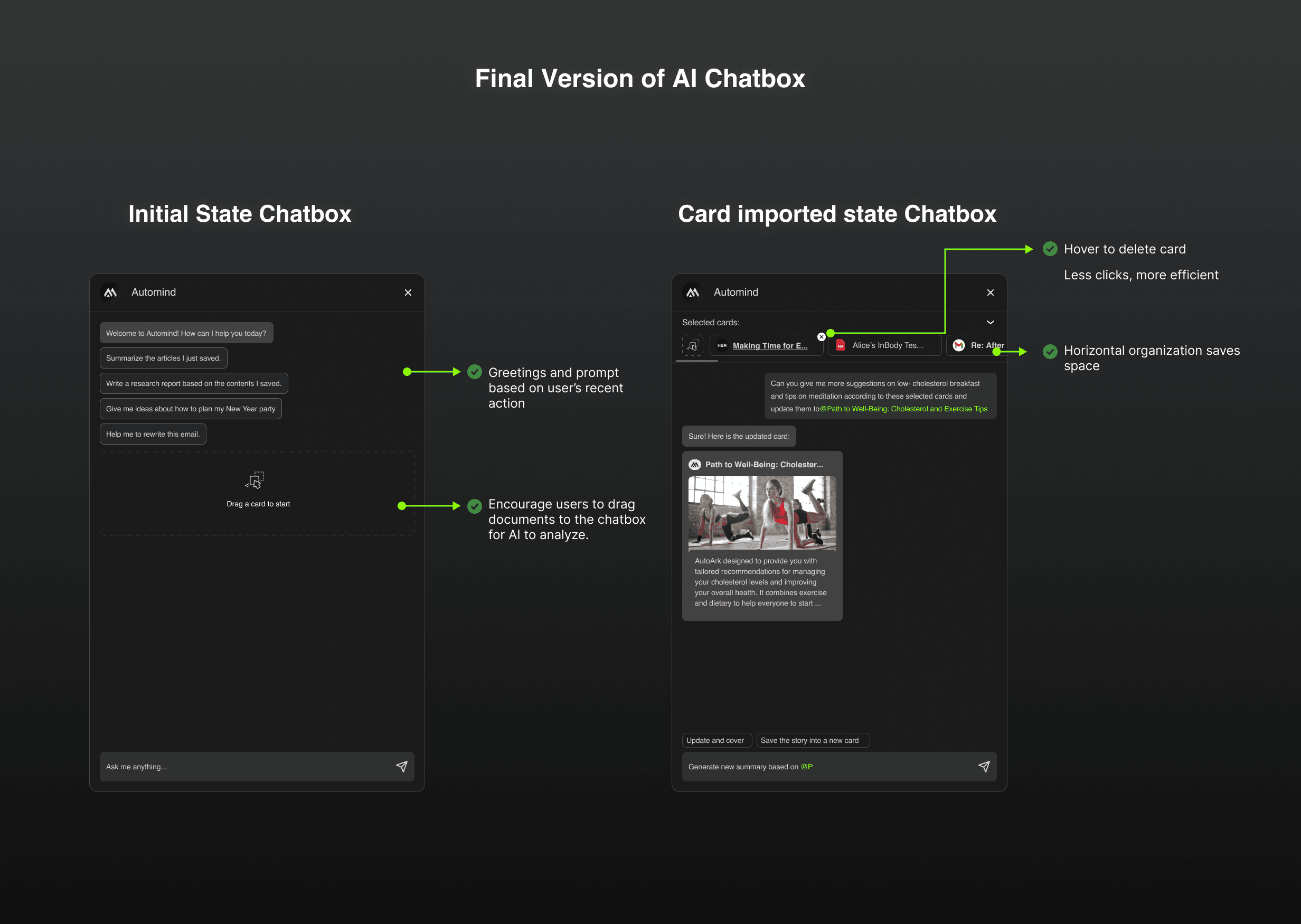
I quickly presented two iterations of how imported cards appear and can be edited within the chatbox. Building on these versions, I analyzed competitor UX patterns and collaborated with PMs and designers to refine the final solution through internal reviews.
CHALLENGE 4
Responsive Design
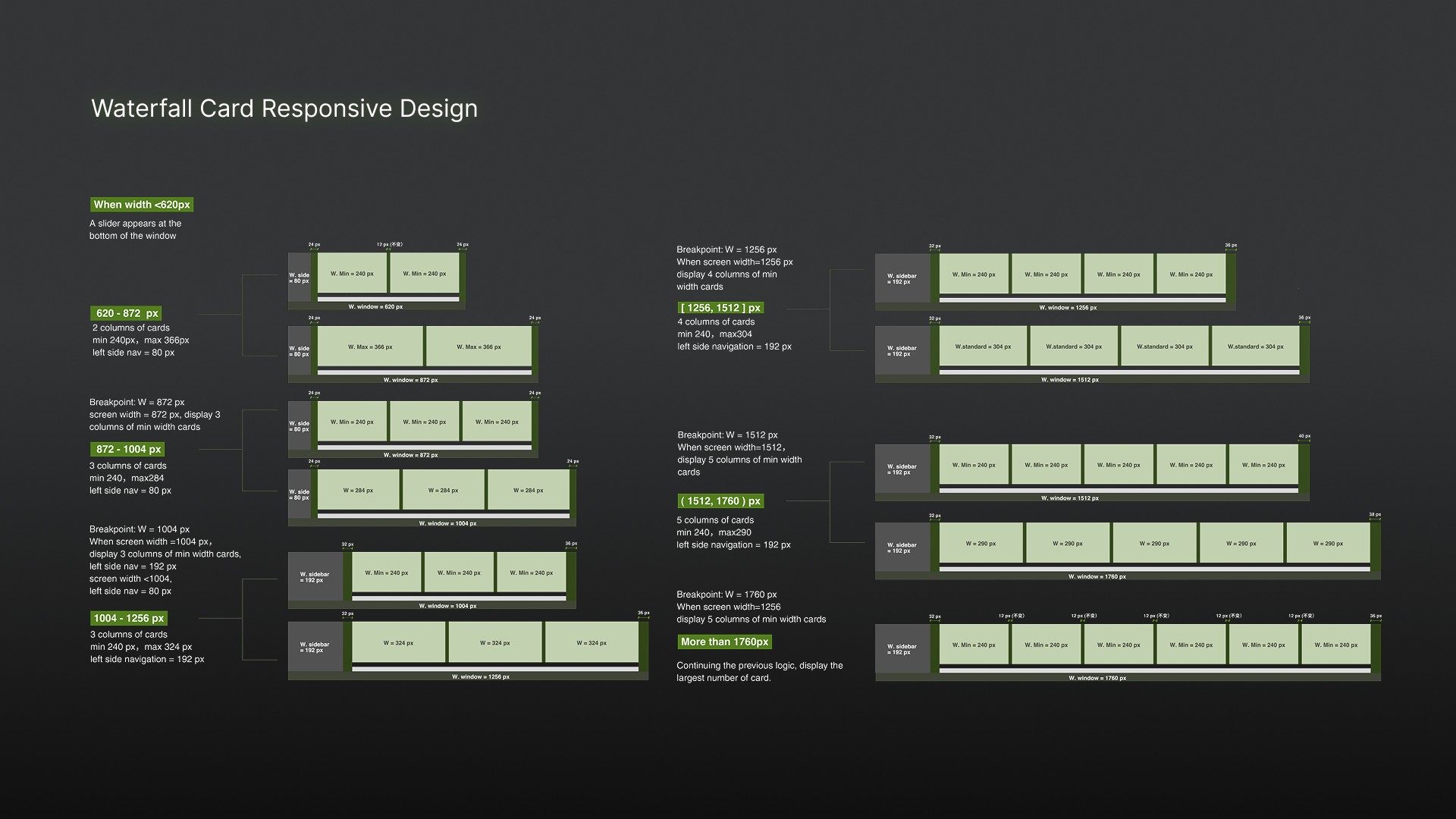
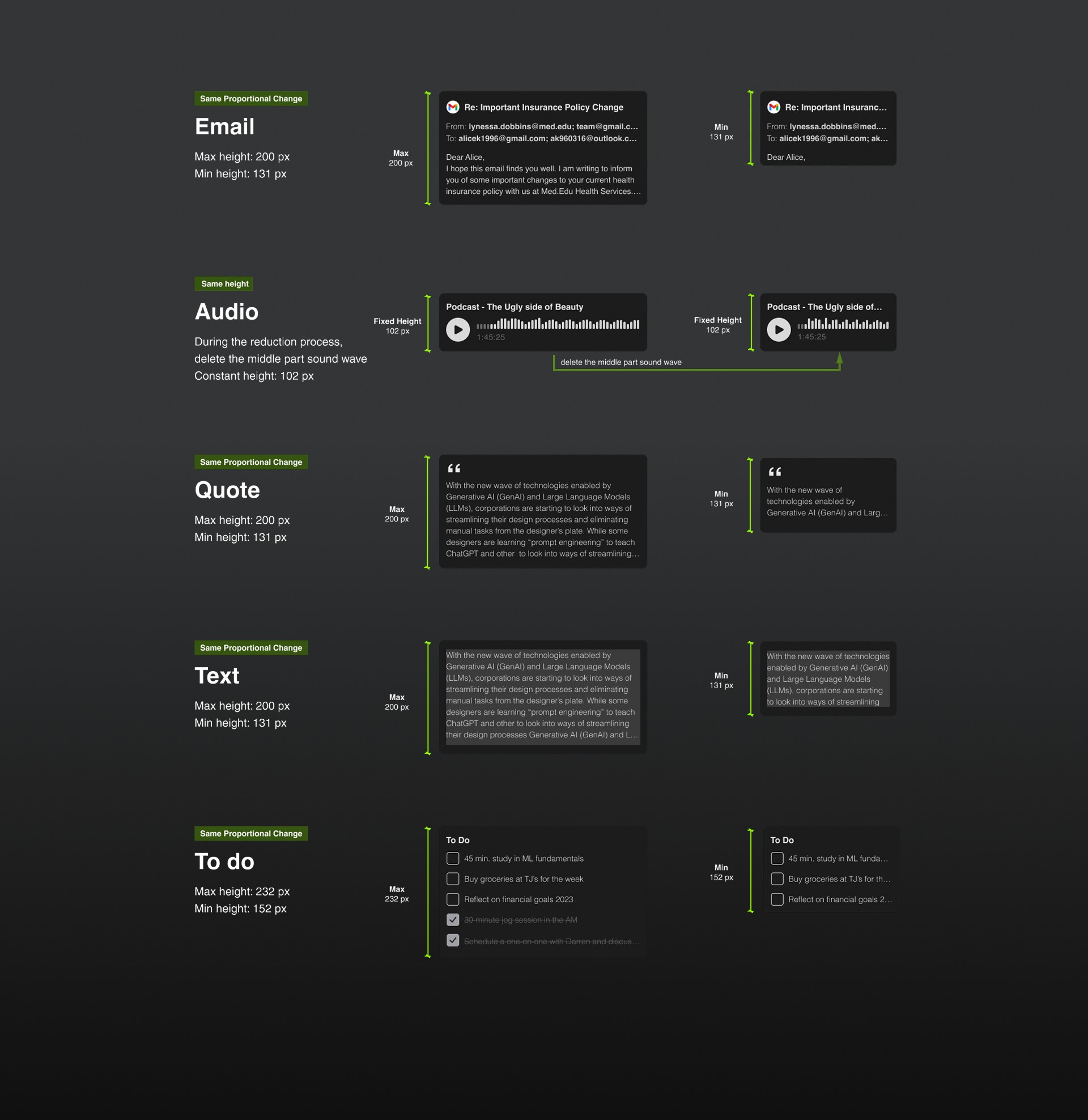
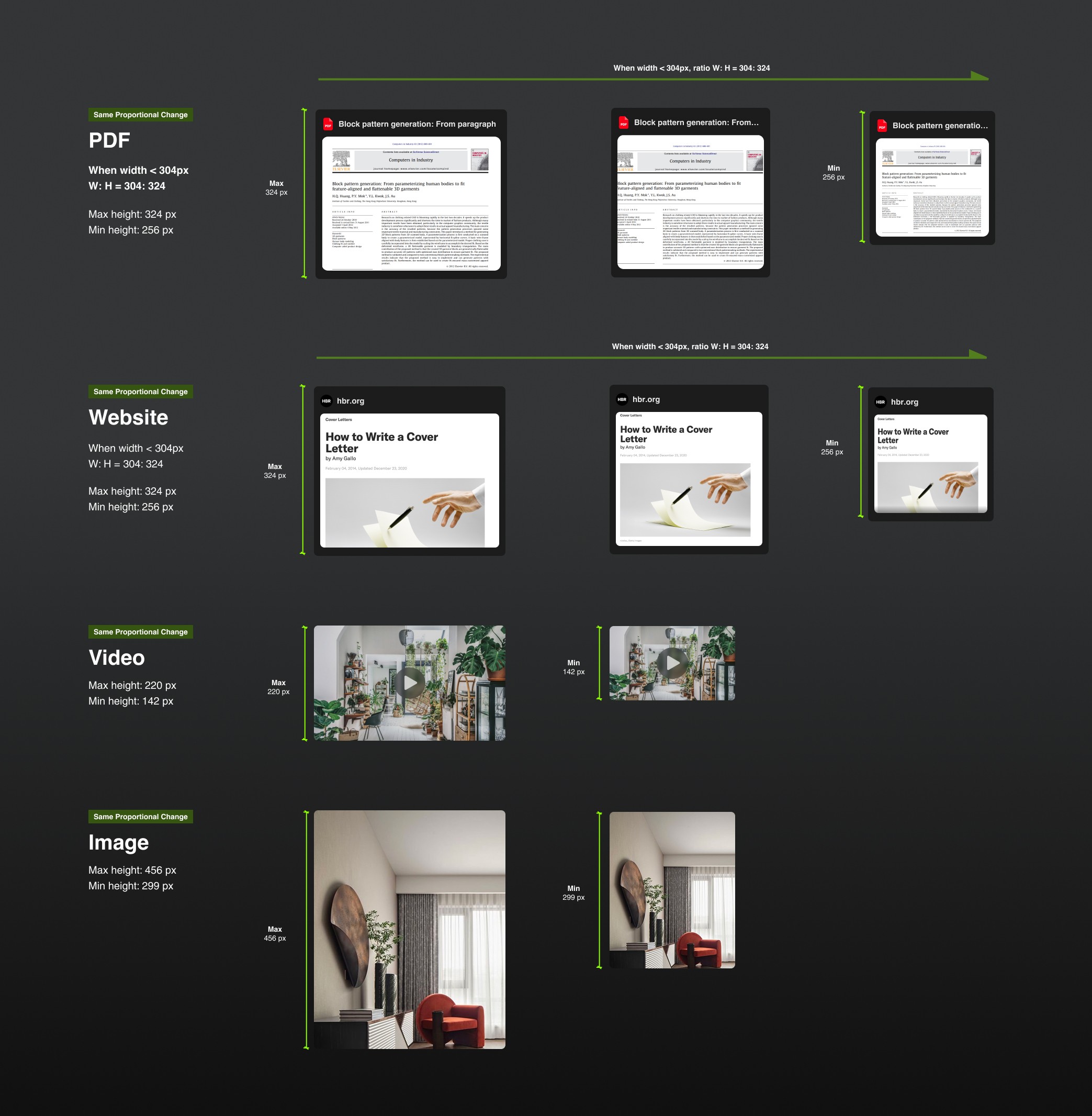
Responsive Waterfall Card Layout
Our responsive strategy prioritizes displaying the maximum number of columns. I integrated feedback and partnered with another designer to implement a responsive solution, earning strong approval from both PM and engineering.
responsive design
hi-fi
DESIGN INSPECTION AND HANDOFF
Led the Design Inspection Process
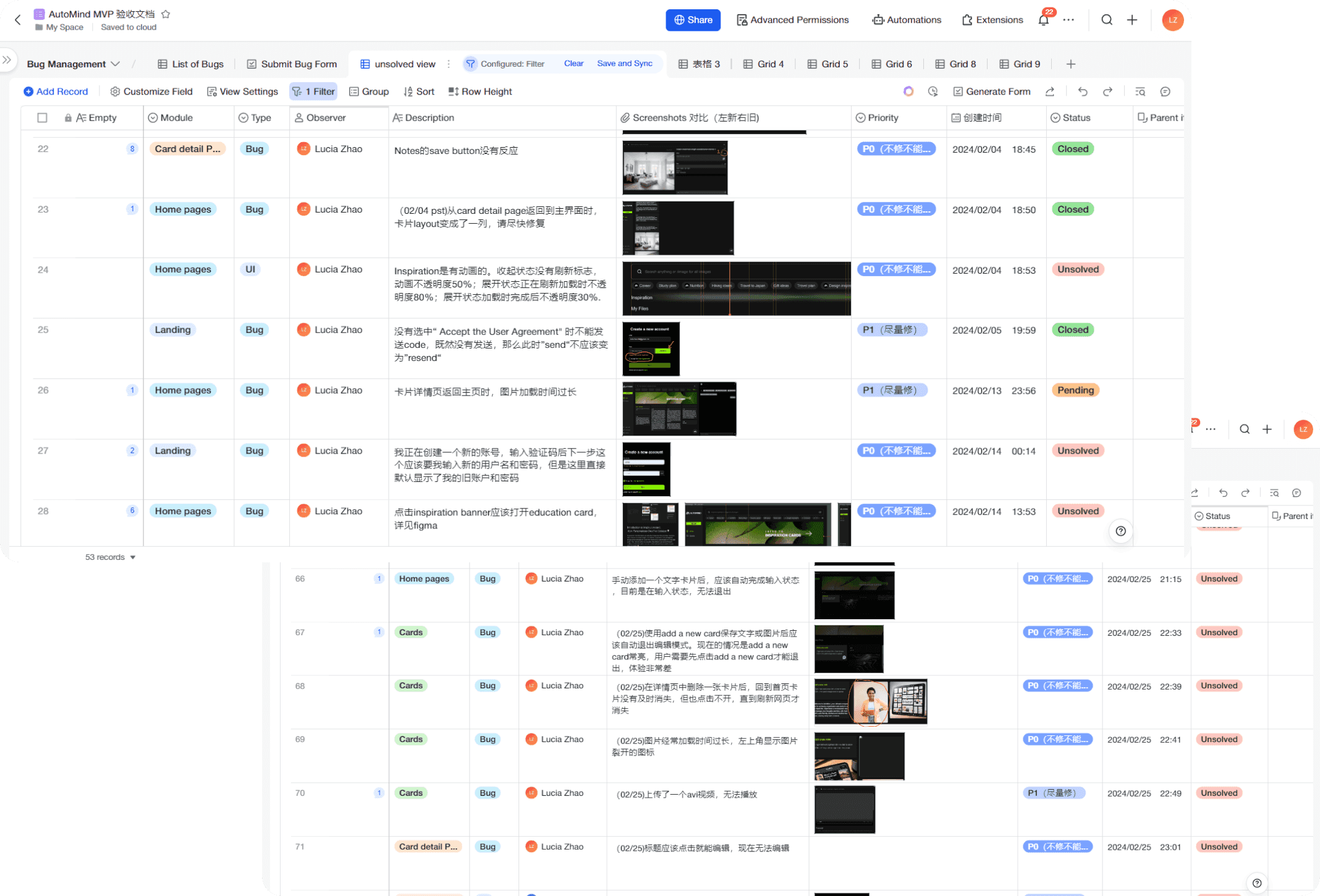
• I created and maintained design inspection documentation, tracking implementation status of key design elements
I led weekly cross-functional reviews to address implementation challenges and provide design clarifications
I conducted design reviews and iterated solutions based on technical constraints
RESULT
Driving Measurable Growth Through Design
$1.8M
Contributed to securing $1.8M in VC funding
36%
increase in subscription intent (user survey)
REFLECTIONS
Reflections: Navigating a Rapid Tech Landscape
🌟 Innovation is challenging but rewarding
I initiated an “inspiration panel” during moments of low ideation. Pushing beyond obvious solutions was difficult, but it ultimately unlocked more exploratory thinking and led to breakthrough concepts.
👀 Stay closely attuned to competitors
I continuously monitored competitor products, analyzing new features and evaluating their relevance to our model. This helped us stay informed, inspired, and competitive.
⚡ Prioritize ruthlessly in a startup environment
Working within tight timelines, I made deliberate trade-offs between MVP scope and future enhancements, aligning decisions with team capacity and business goals.