0 TO 1 PROJECT
Orby AI
Say Goodbye to Repetitive Tasks
Design an AI assistant to automate contract processing and enhance document handling efficiency for enterprises.


Overview
Challenge:
Context:
Orby AI caters primarily to Large Enterprise Customers in the U.S. technology sector. The AI suggestion module is tailored to meet the requirements of Google, specifically their Finance team.
Result:
Effortless Onboarding and AI Training
We created an intuitive learning experience with quick tips and a step-by-step tutorial, enabling users to get up to speed with Orby AI effortlessly and immediately.
During training, Orby runs in the background, learning from user behavior. Once enough data is gathered, it activates the trained AI model.
Smart Task Management
& Prioritization
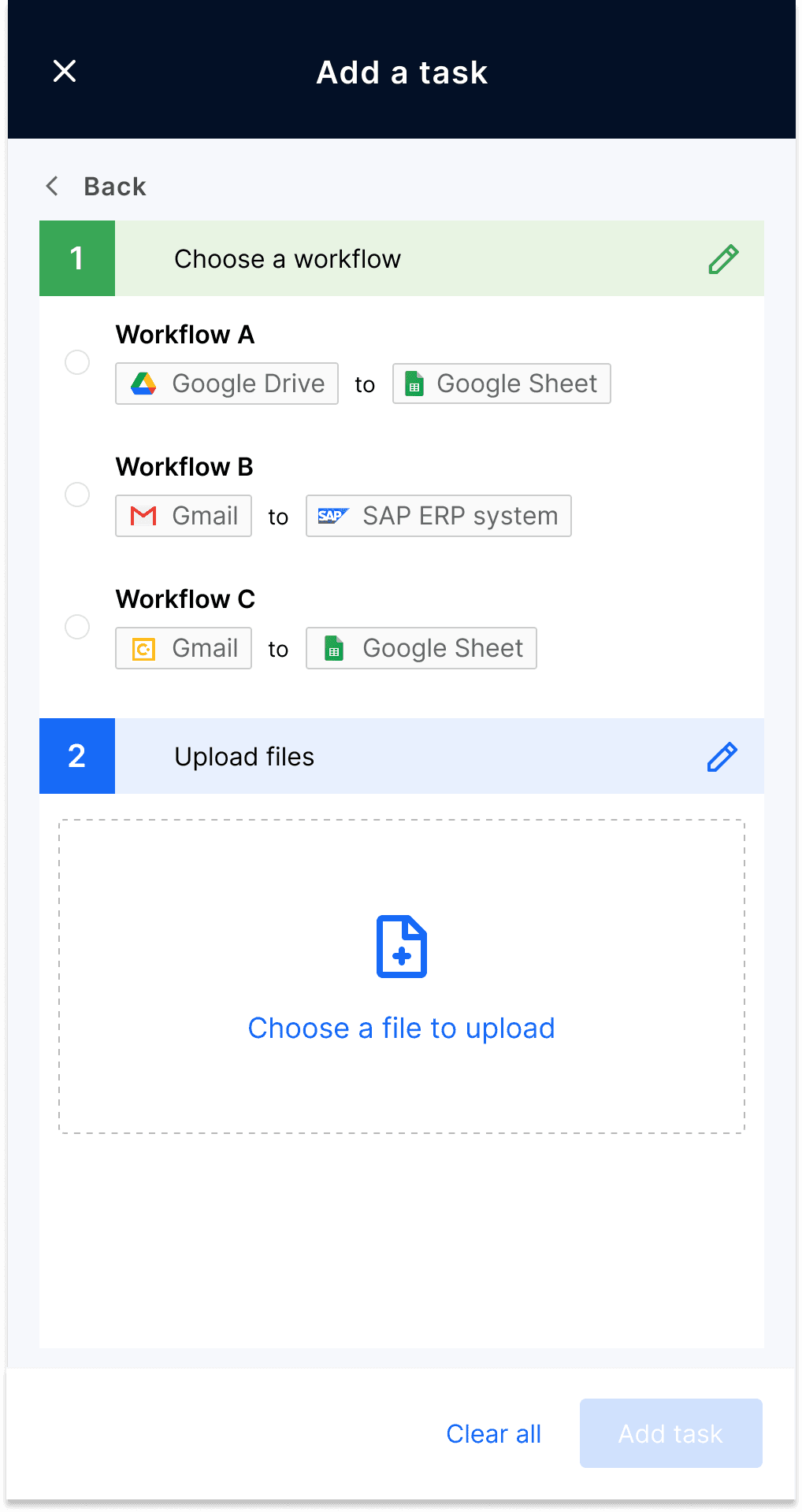
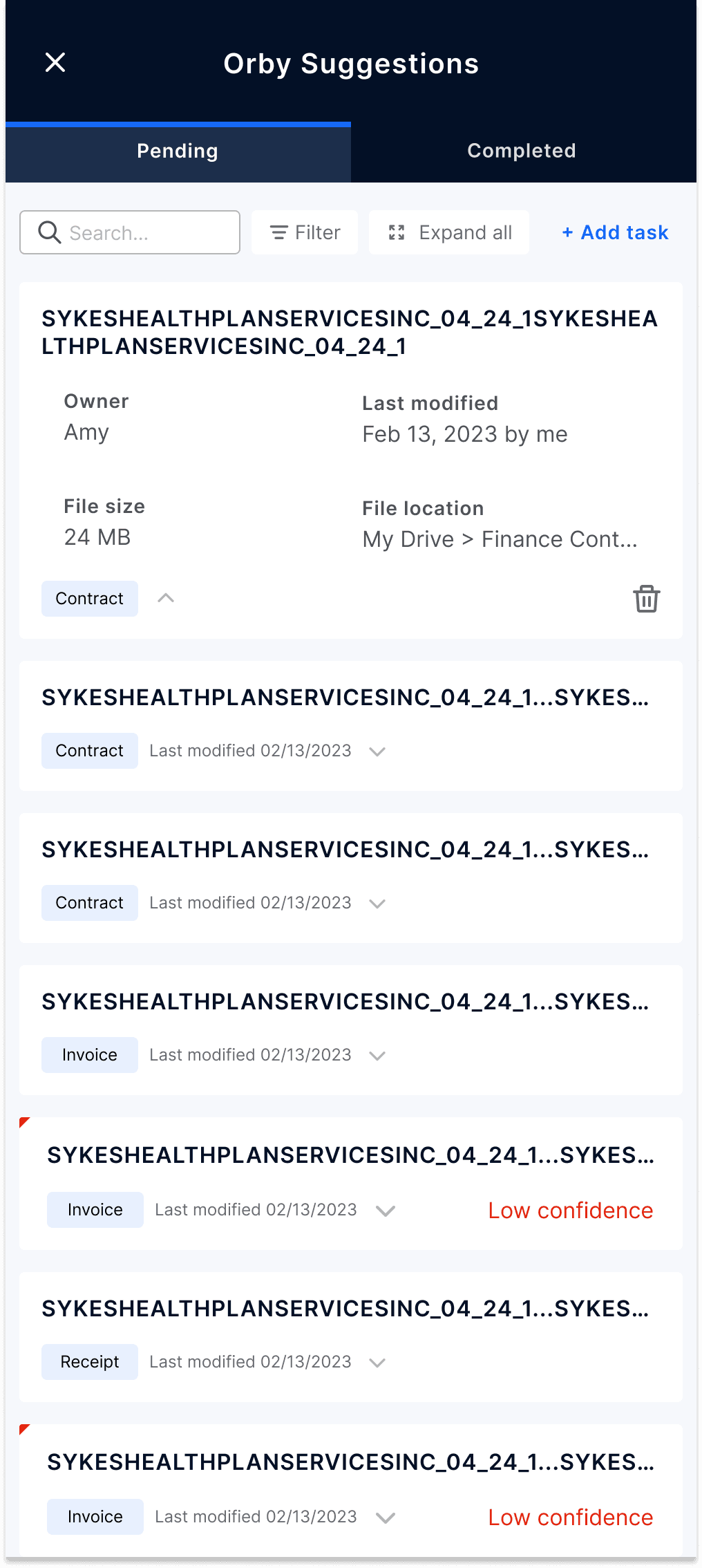
To reduce task overload, we introduced a Smart Suggestion Panel that prioritizes tasks based on urgency and impact. Automatic file syncing streamlines workflow, while manual task addition gives users full control. Users can start with Orby’s suggestions or add tasks manually.
Streamlined Validation & Reduced Errors
Recognizing the need for accuracy, we redesigned the data review process with simplified categories and tabbed filters. This optimized layout improved readability and reduced cognitive load, enhancing efficiency and precision.

Process
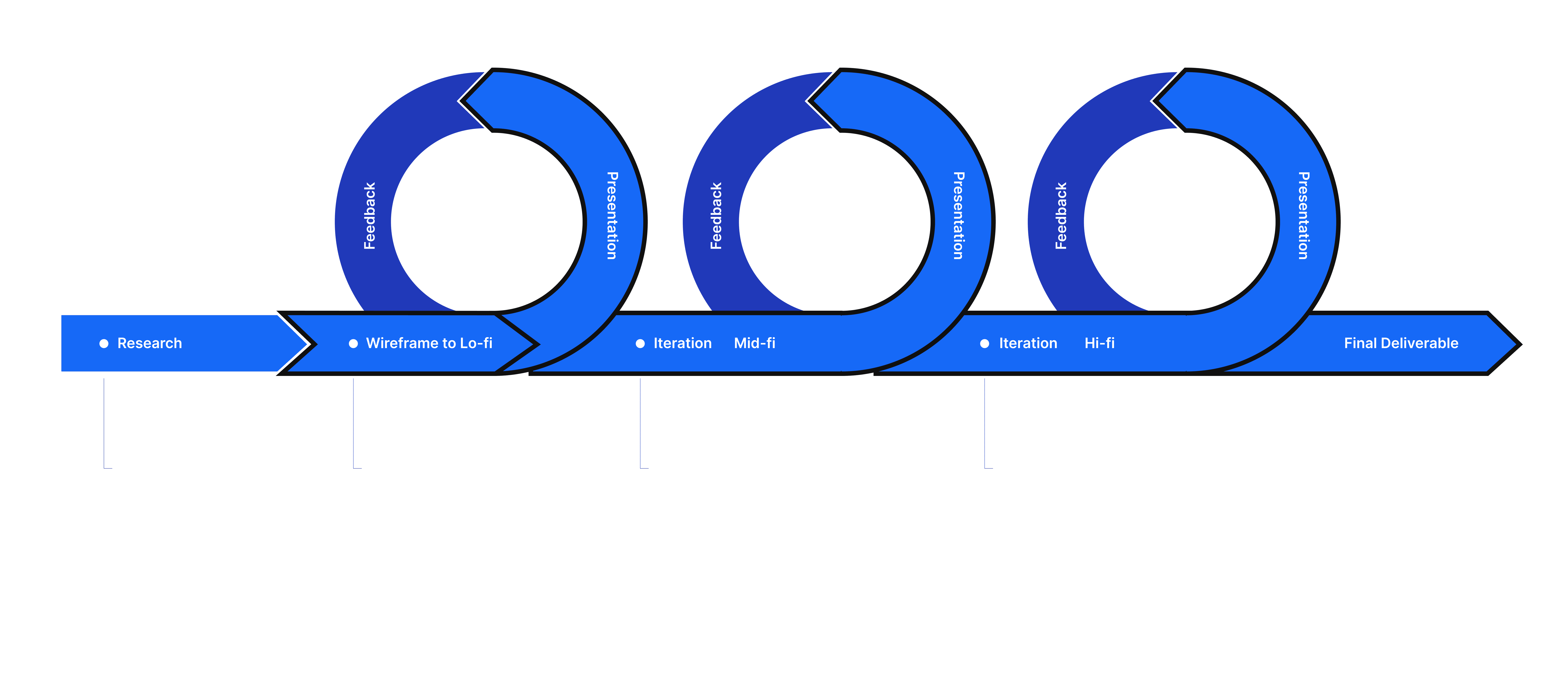
Research
Stakeholder Interview
Understanding the technology capability and the end users…
During the interview, the product owner and developers introduced the technology to end users. This valuable information guided the design of the AI product and module, ensuring it meets the needs of both end-users and the business.
API Technology: Orby collects API traffic data and utilizes it to analyze process patterns.
Work with users: Orby AI observes and captures the training data as the user performs the process.
Synthesis
Persona
Who will be the end users?
Following the stakeholder interview, we identified the primary end users for this version/module as specialists from the Google finance team.
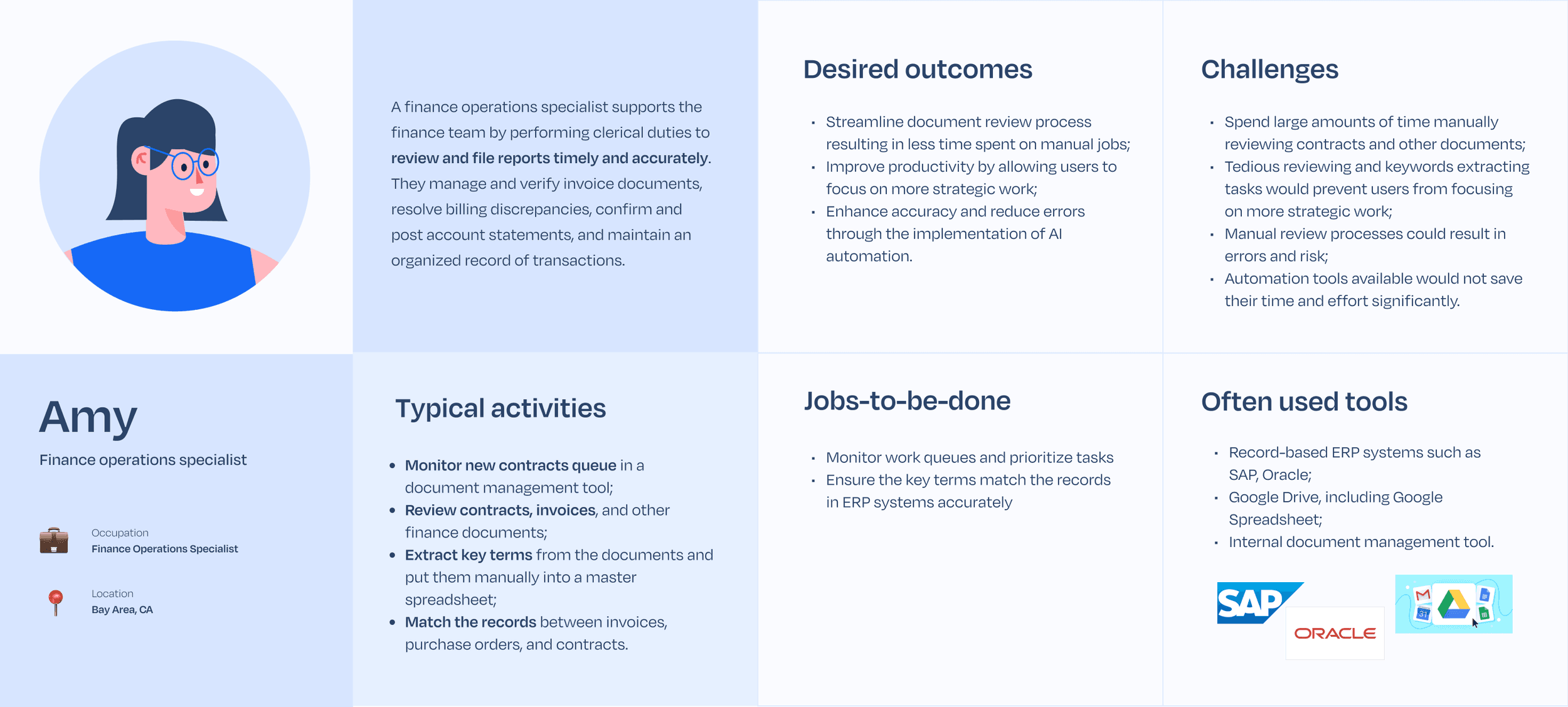
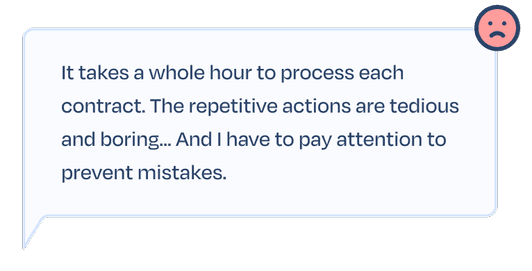
60 minutes x 100k contract per year
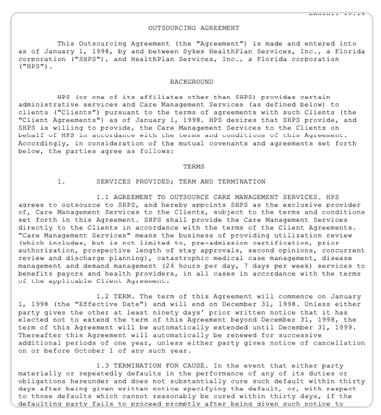
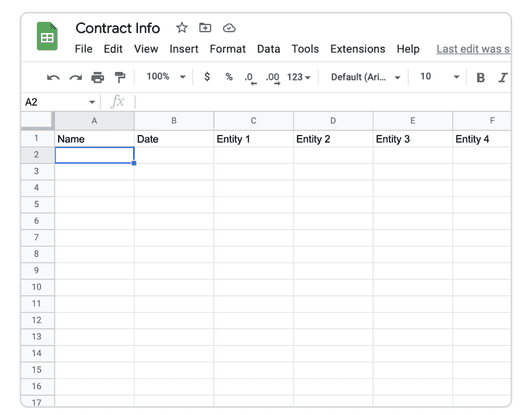
It is challenging to focus on multiple tabs side by side while trying to collect useful information.

Synthesis
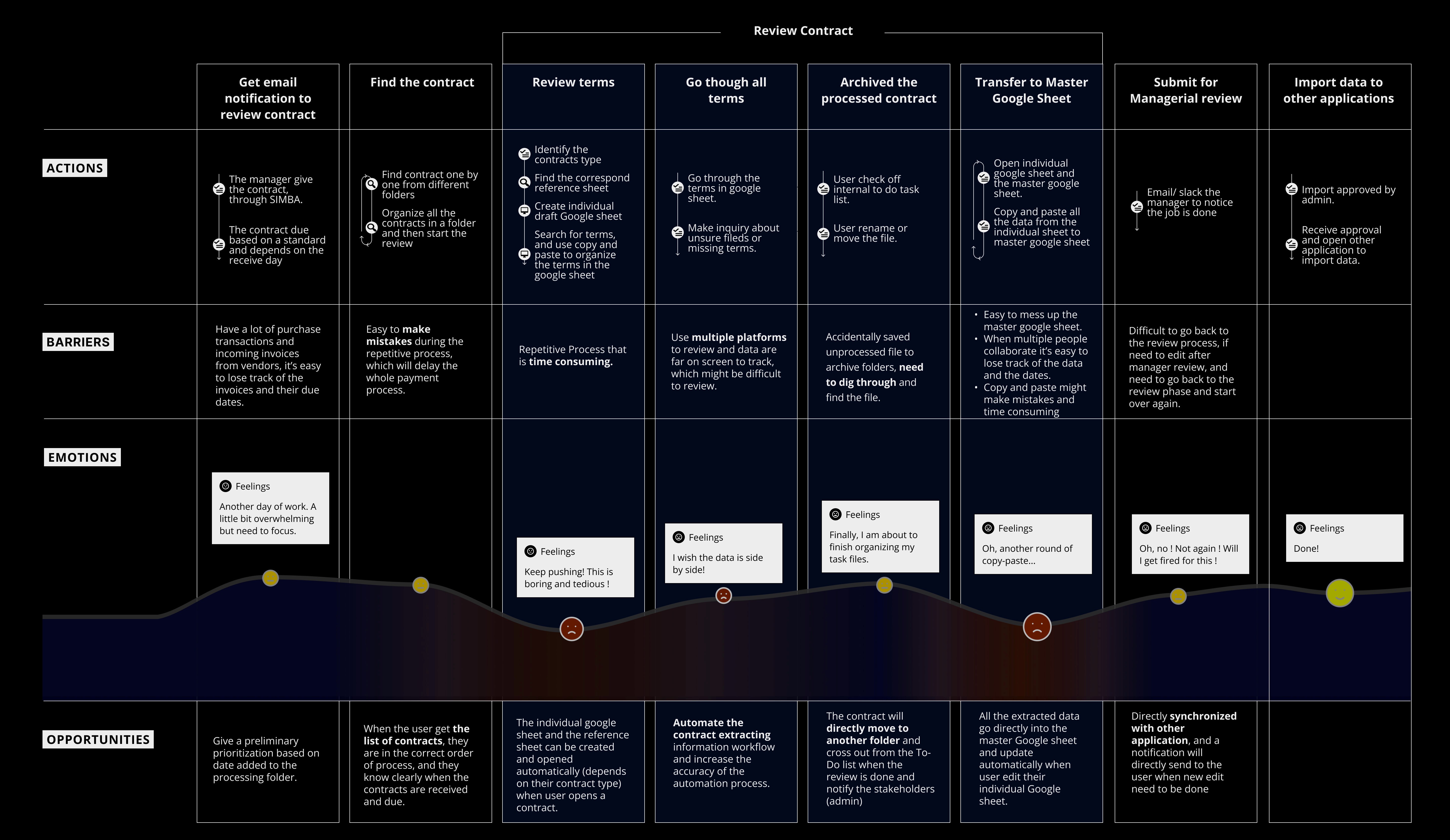
Journey Map
What's their current workflow?
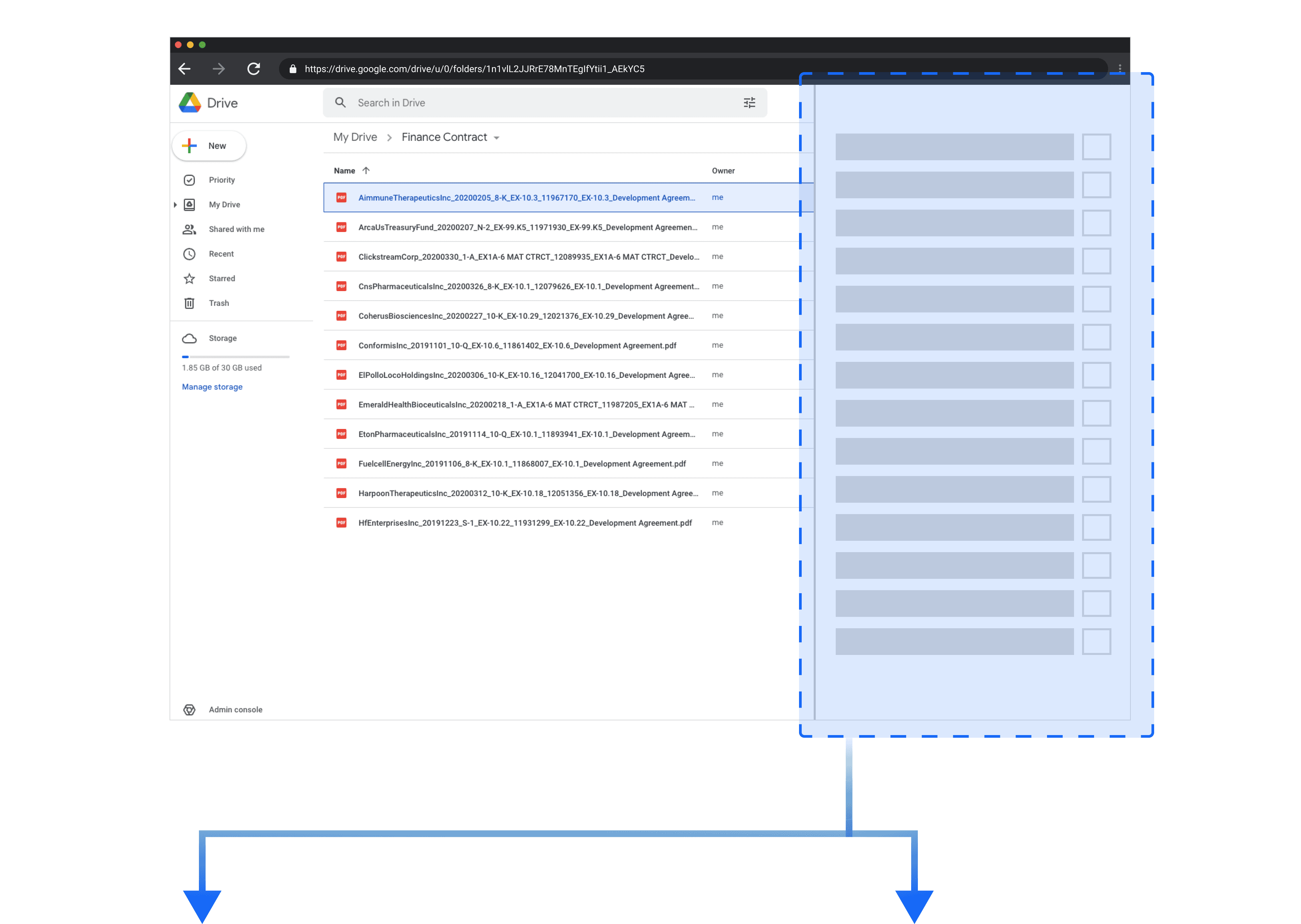
We use the research findings to create a journey map, identifying opportunities for future design. (SIMBA is the team’s internal document management platform; for design purposes, we used Google Drive as an alternative.)
Synthesis
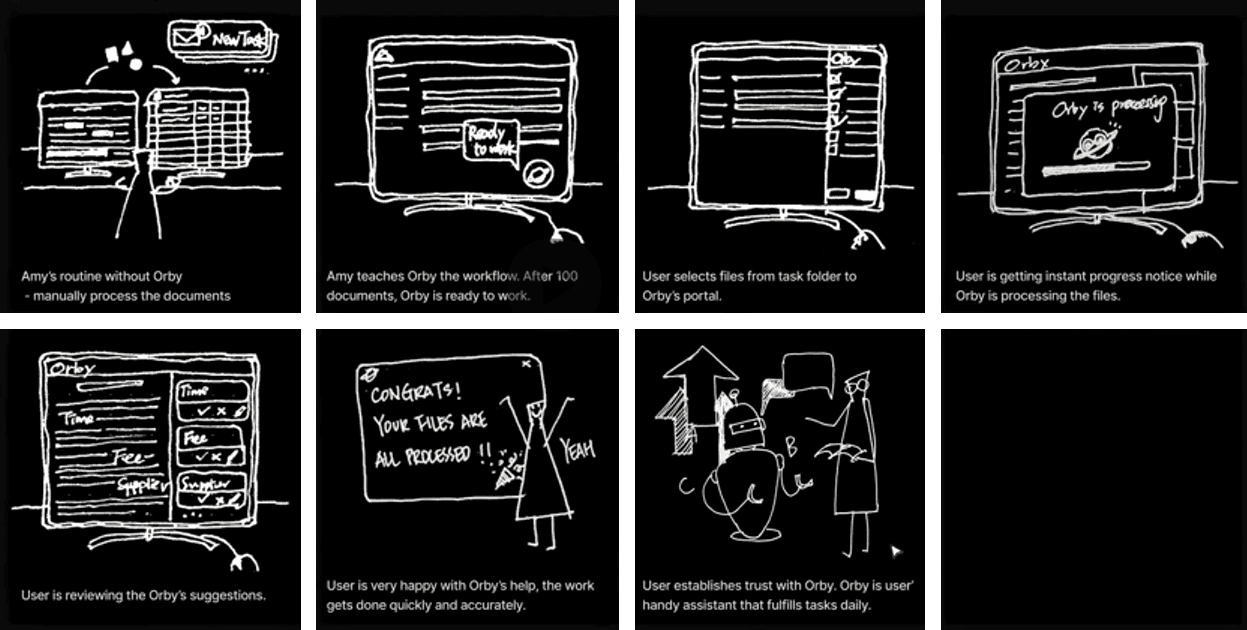
User Story
What's the user story?
Research
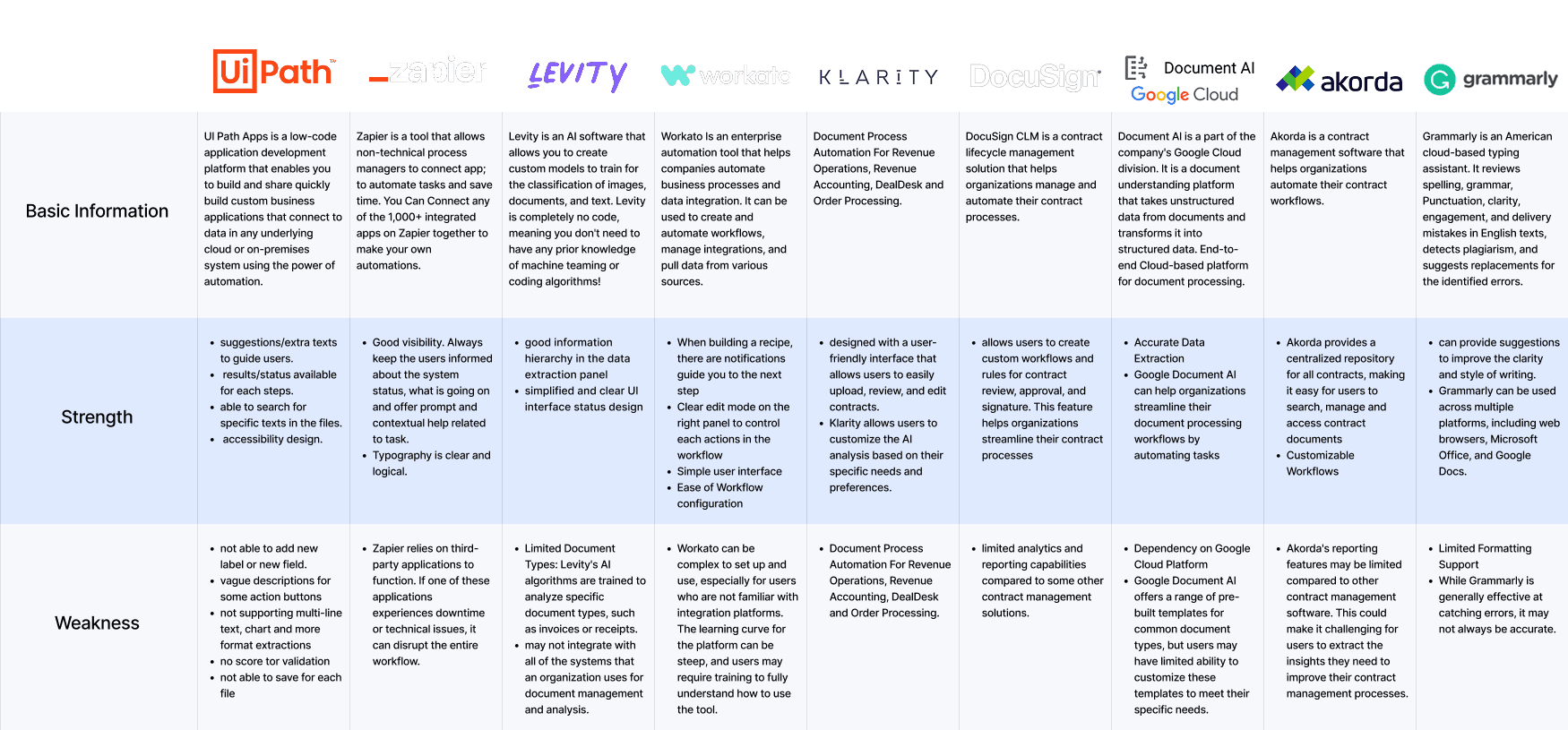
Competitive Analysis
What are the current solutions ?
Conducting a comprehensive competitive analysis, we explored various existing platforms for workflow automation and AI-powered text/document processing to gain valuable insights.
Research
Key Insights
What did we take away from our research?
Contract processing, in general, involves time-consuming and highly repetitive tasks, presenting an opportunity for significant improvement through AI automation. Here are the key insights guiding our design:

No Code: Users lack technical expertise for complex configurations; a smooth learning curve is essential.

Connected Experience: Users require a more connected and integrated workflow for contract processing.

Clear Navigation: Users need a clearer navigation pattern between the key terms checklist and the documents.

Ideation
Service Blueprint
Map the viable solution with Orby AI technology…
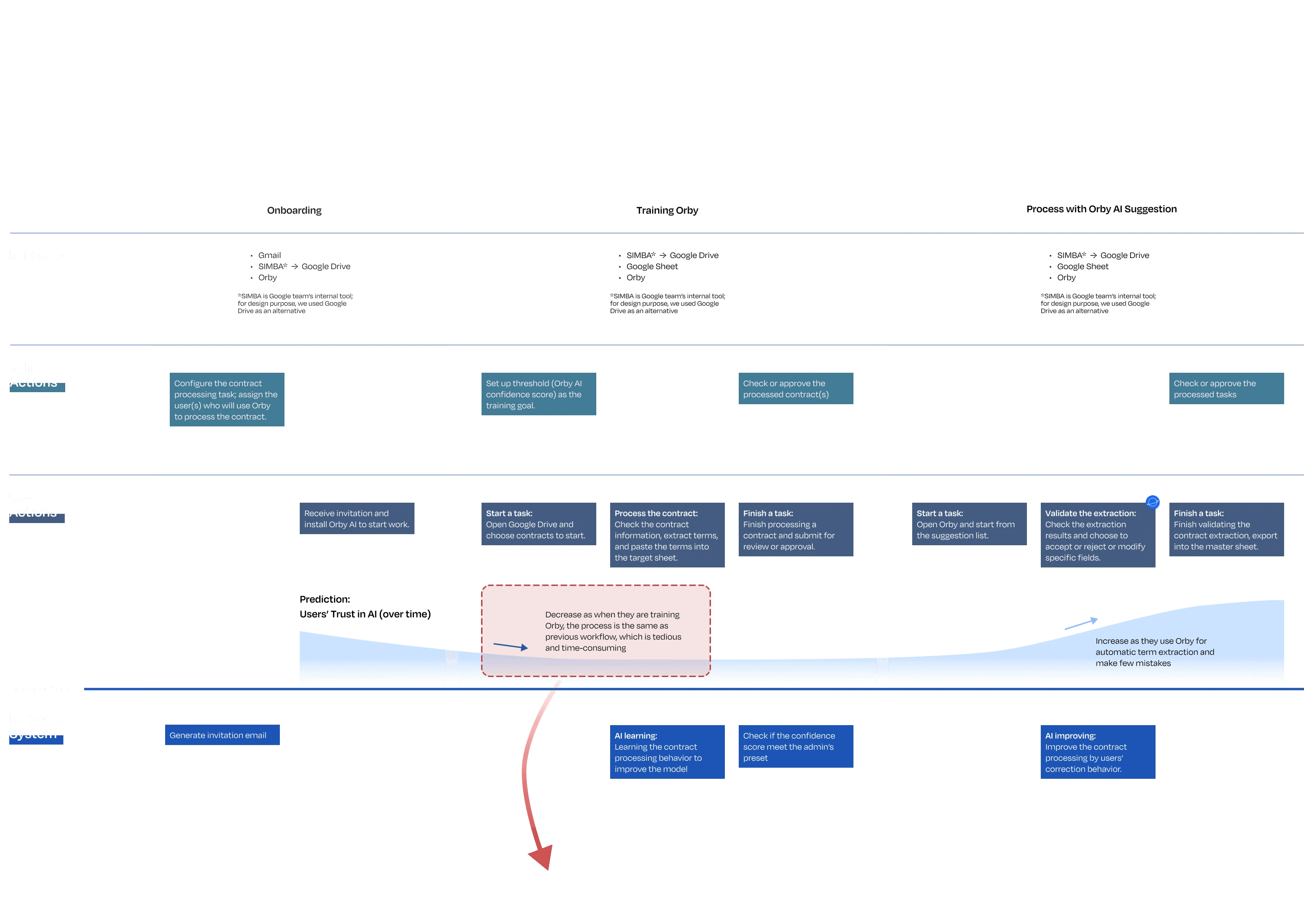
I took the initiative to map the entire experience using a service blueprint, breaking it down into three main stages: onboarding, training, and AI suggestion.
Throughout the process, we discovered the significance of engaging users during training and establishing trust in Orby.
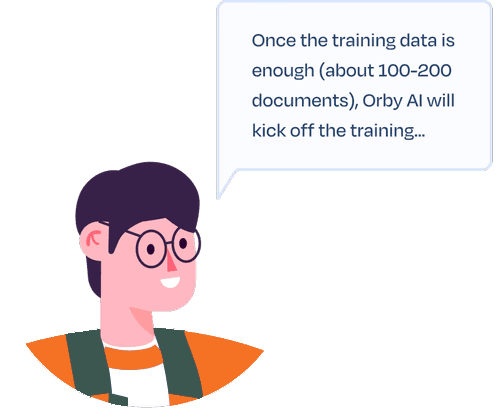
According to the developers, the users need to process 100~200 contracts to finish the training process. The service blueprint helped us generate our first design question.

Design
Low-fidelity
Feedback
Problems
Absence of clear hierarchy of information
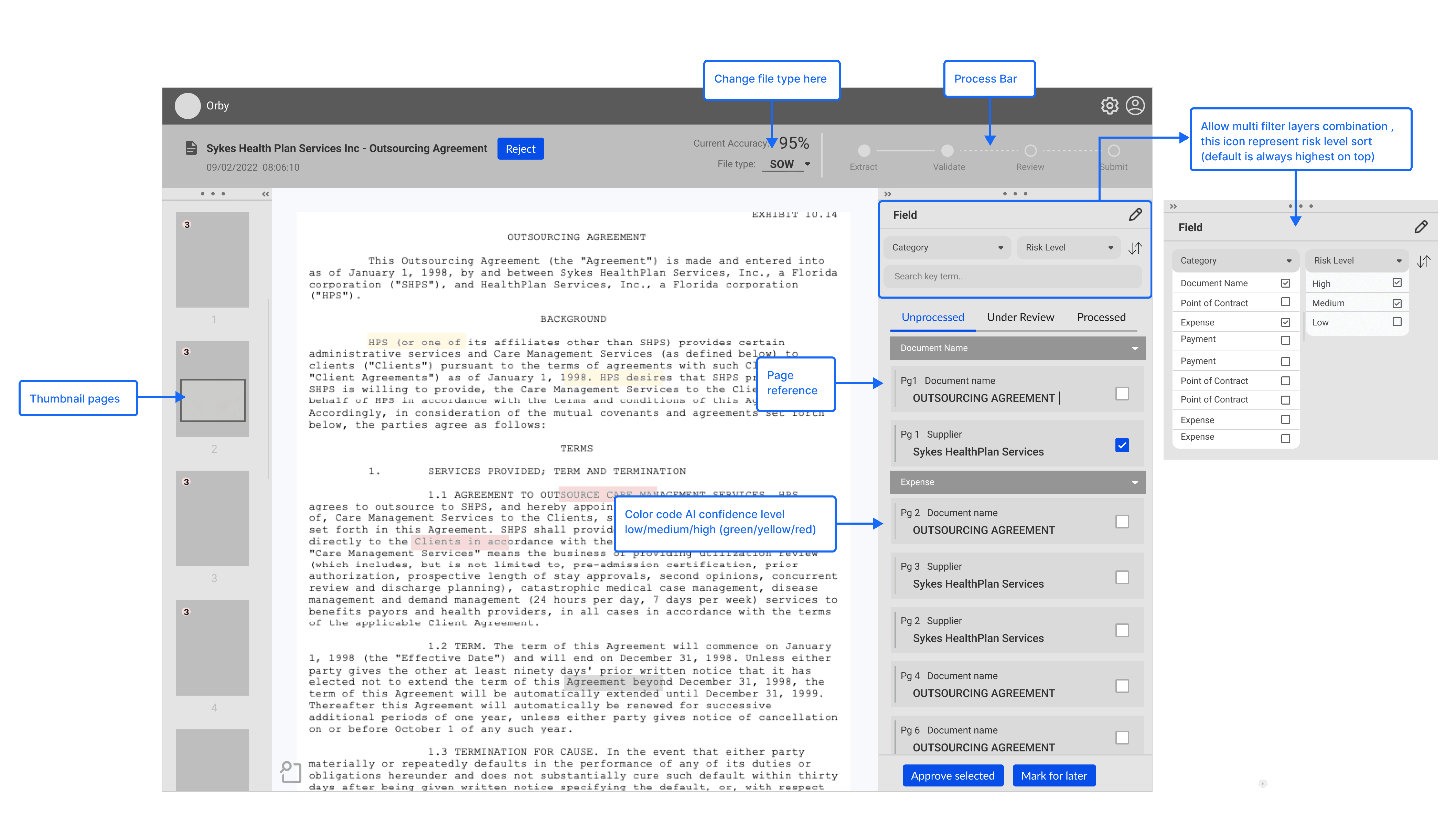
After reviewing our low-fidelity draft, the design lead pointed out several problems:
All functionalities were listed without sufficient consideration for the user's workflow.
The absence of a clear hierarchy of information makes it difficult for users to determine the optimal starting point.
Design
Iterations
Design goal: a guided experience for users to review the terms
We proposed two different interface layouts and interactions. I proposed and led the design of the navigation tabs. After combining proposal A&B and considering Orby AI’s navigation pattern, we designed the final interface.
Design goal: a guided experience for users to review the terms
We proposed two different interface layouts and interactions. I proposed and led the design of the navigation tabs. After combining proposal A&B and considering Orby AI’s navigation pattern, we designed the final interface.
Iteration 1
Iteration 2
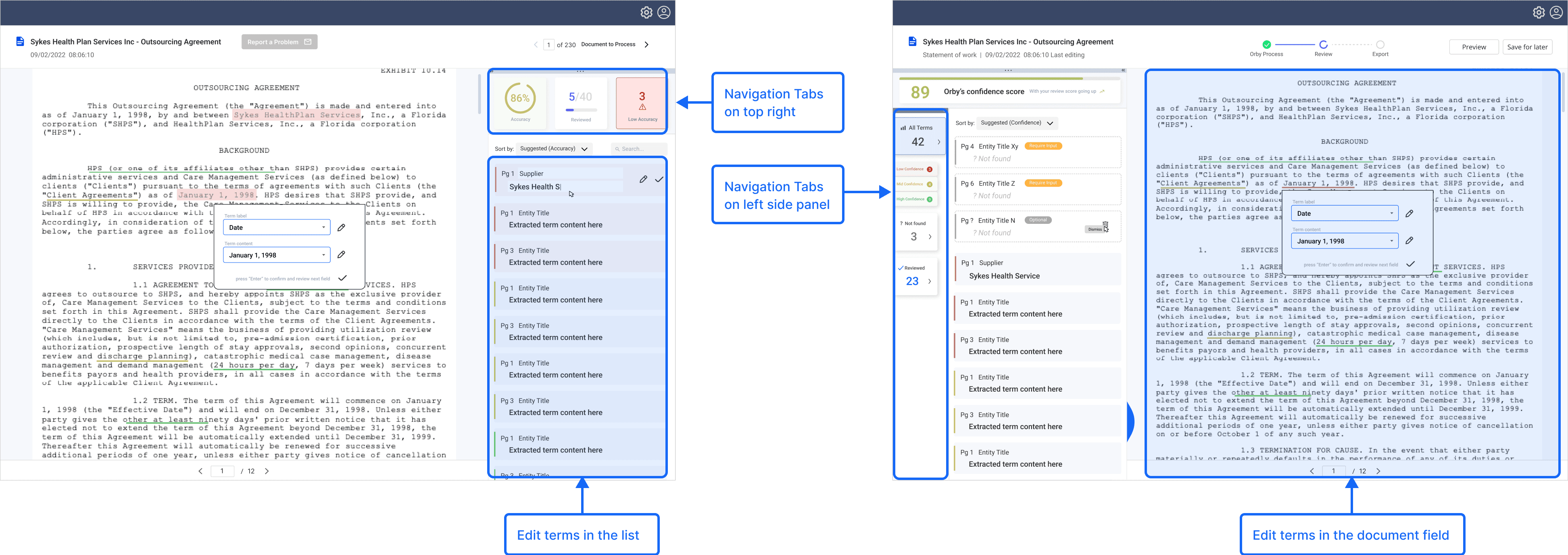
Provides more space for contract review and editing
but may disrupt the natural left-to-right reading flow.
Three vertical elements on the left (global navigation, terms category, extracted terms panel) may cause visual clutter.
Design
High-fidelity
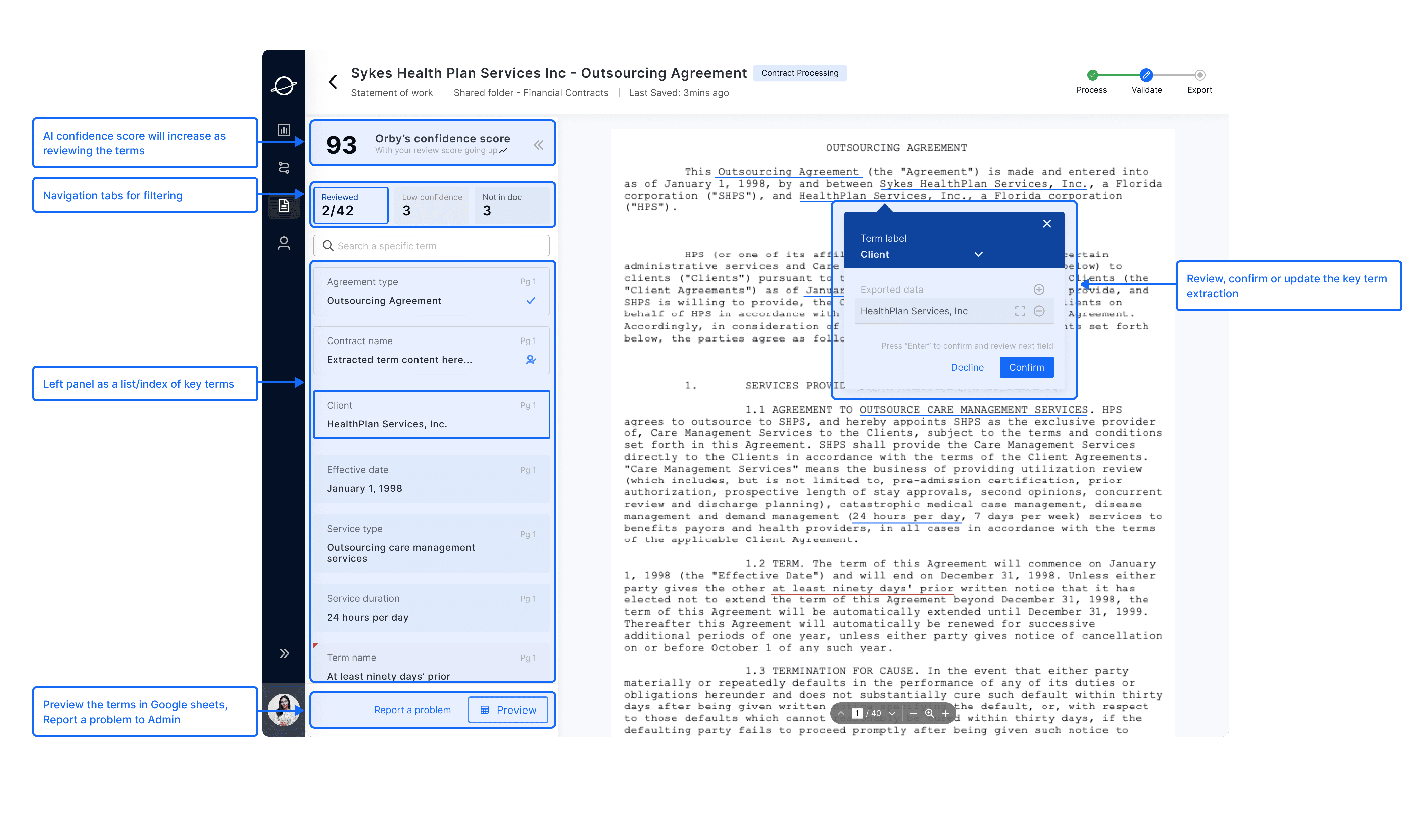
A two-column layout optimizes information presentation and screen space.
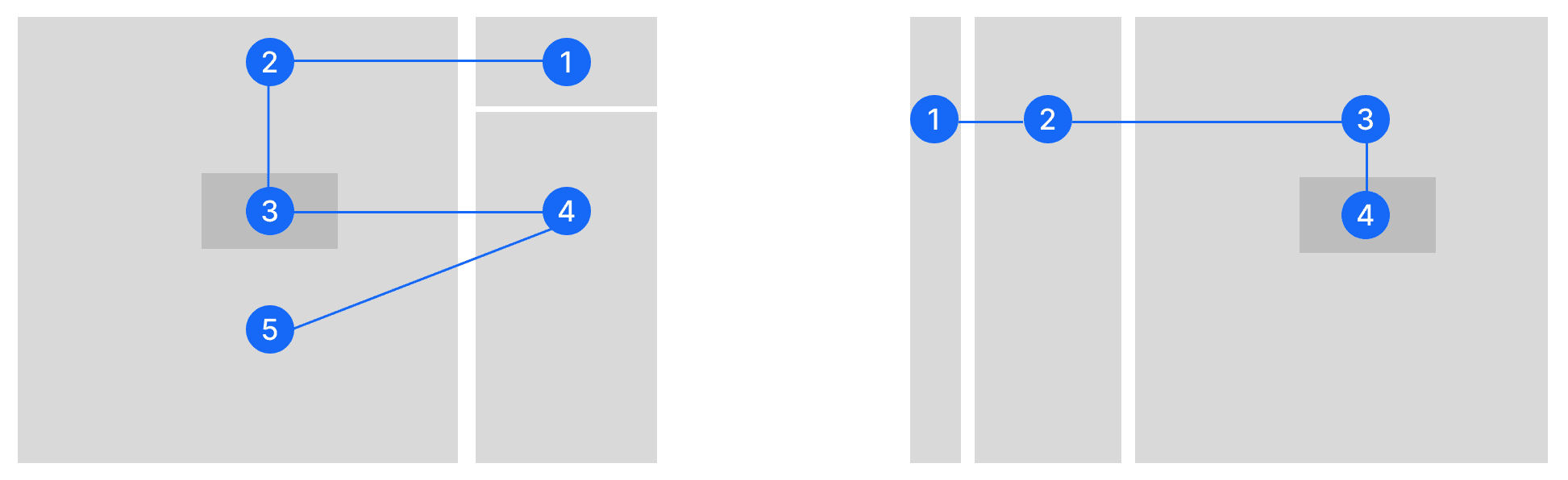
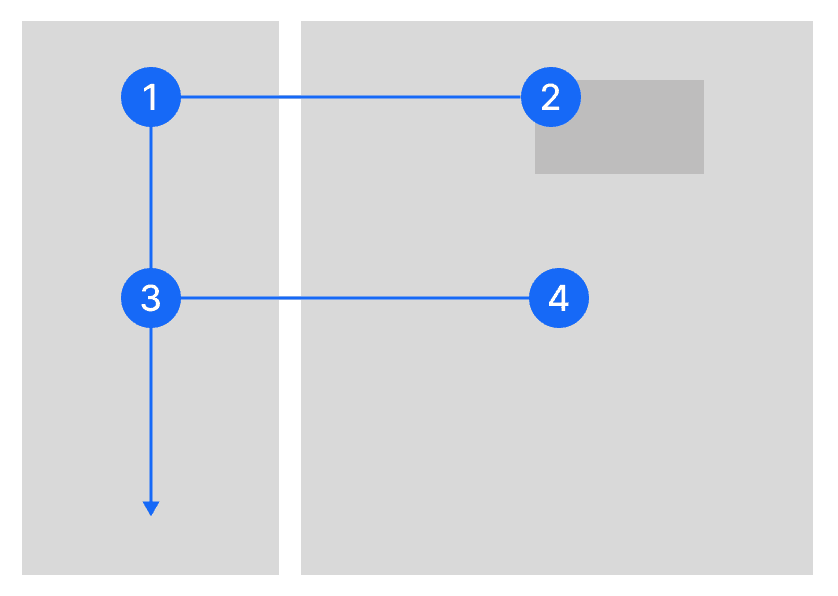
The F-shape scanning pattern guides users from extracted terms to relevant contract sections.
Direct editing in the contract view reduces the need to switch between the terms panel and the document.
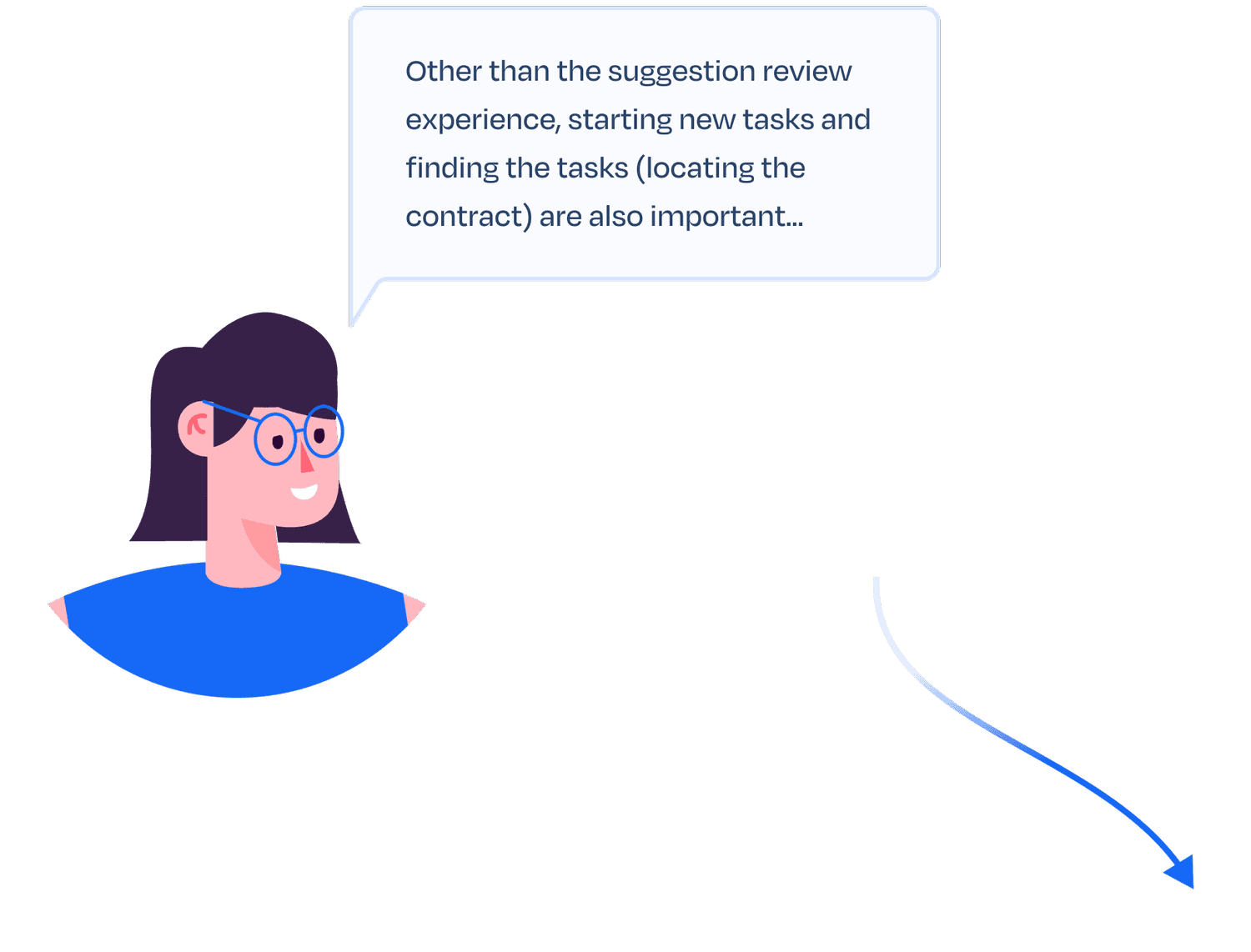
Amy, Financial Specialist (User)
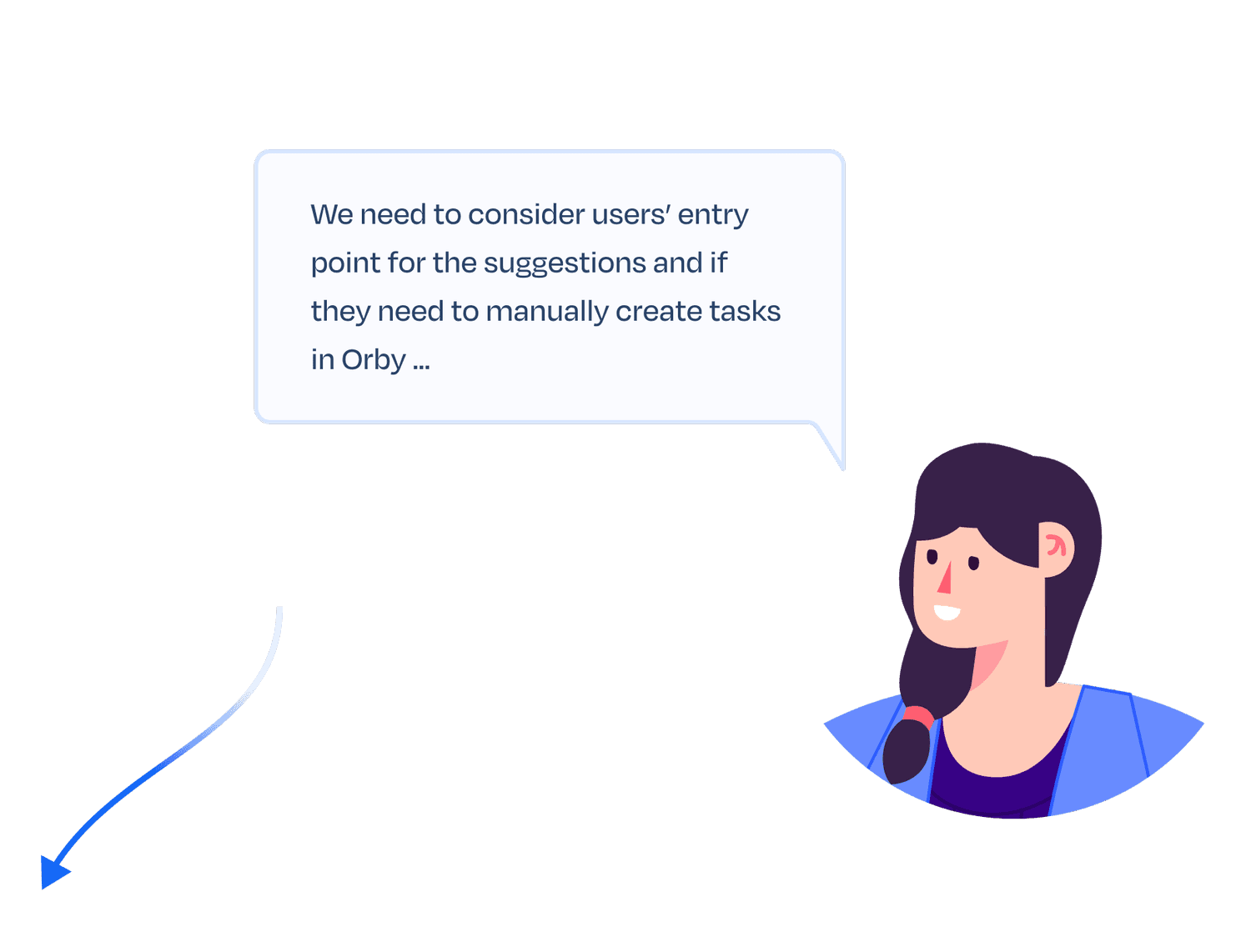
Bella, Product Manager
Design
Low-fi to Mid-fi
Design goal: a connected experience and a clear entry point
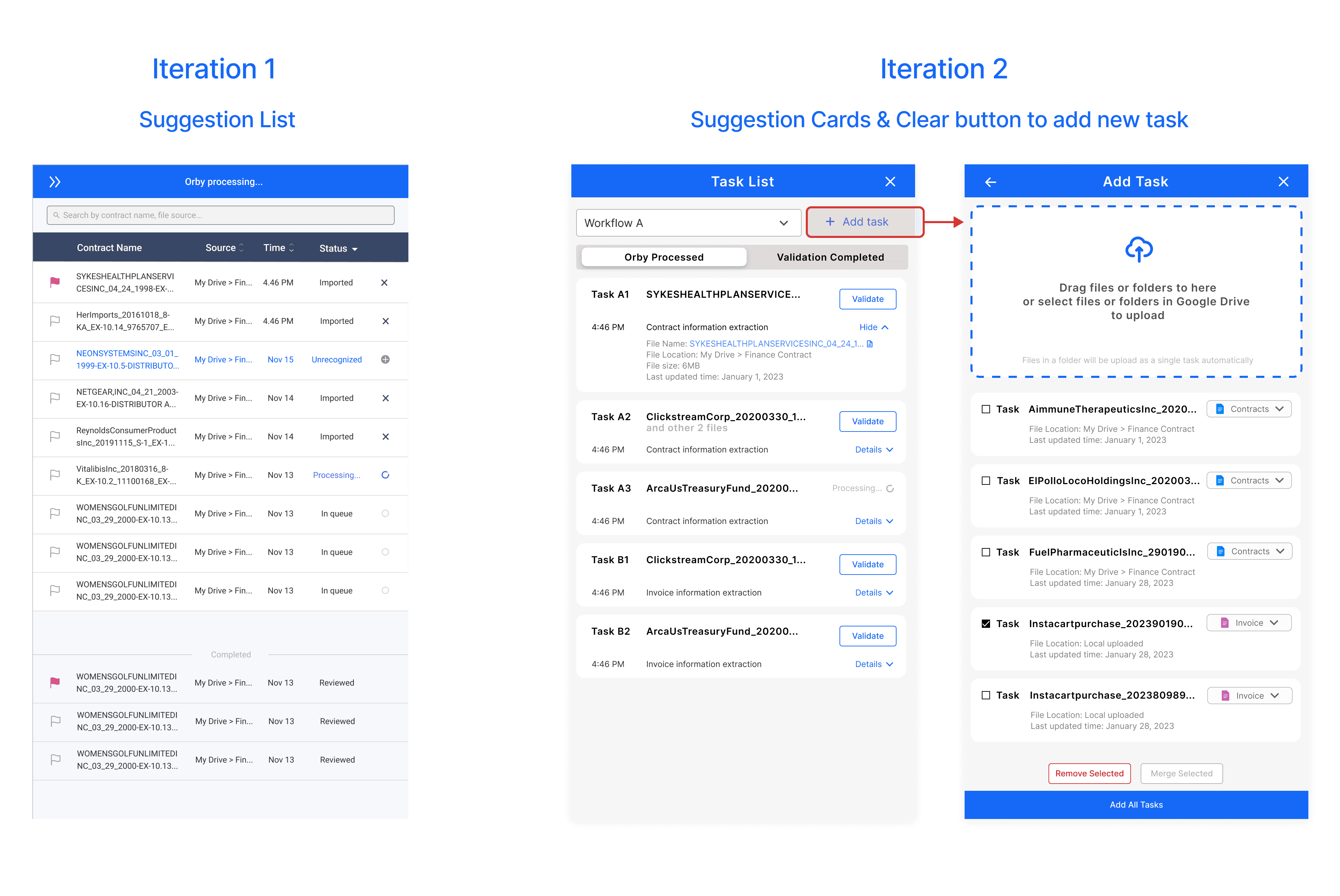
The side panel - ‘suggestion list’ is where users start their contract review workflow. Based on the PM’s requirements and vision, we start to draft the interface and explored different ways to show information. We decided to use cards to hold multiple pieces of information instead of a list.
Suggestion Cards & Clear button to add new task
Feedback
Clients Need
Scalability and Information Display
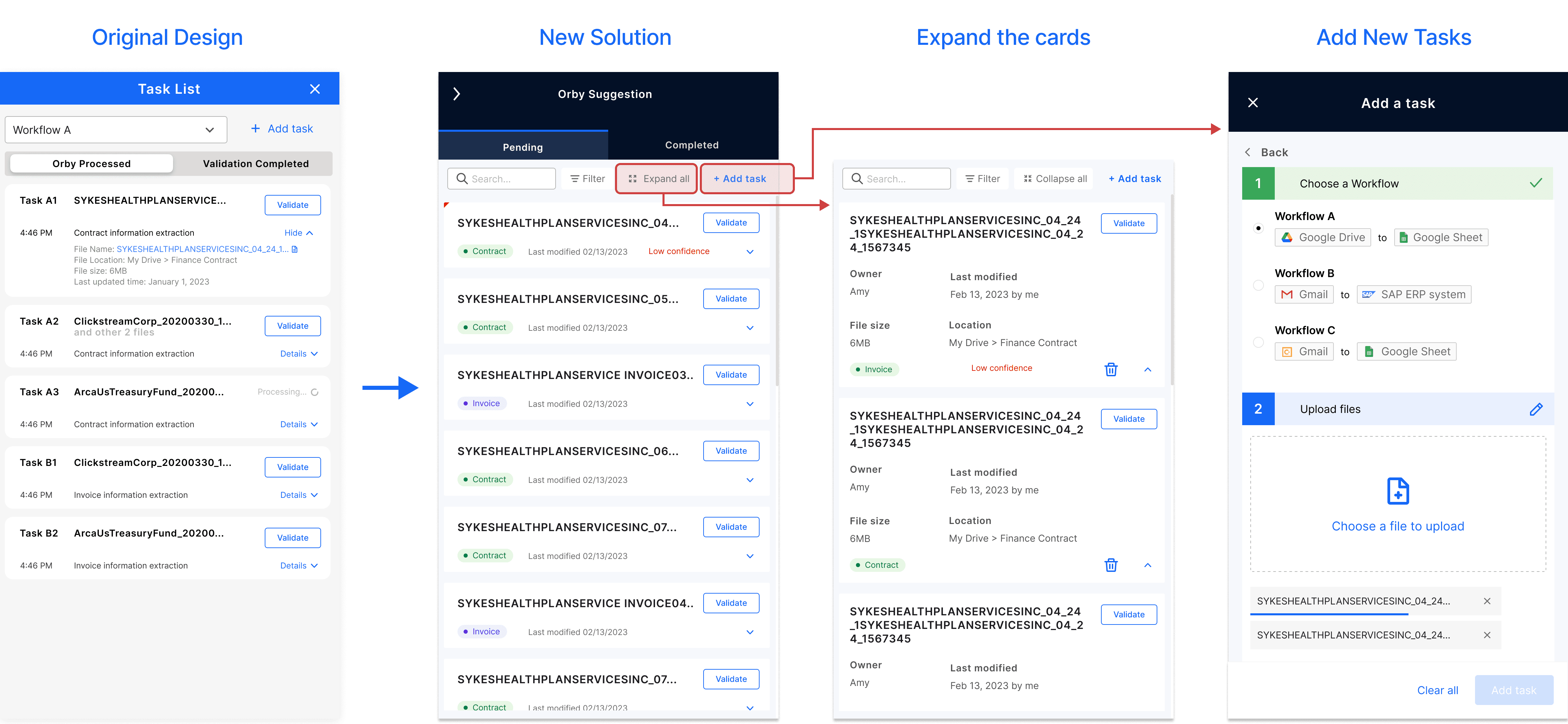
After reviewing our draft, the clients brought up several needs and expectations to be fulfilled; here are some notable ones that we made improvements:
‘Scalability’: The ‘suggestion list’ may also be used for some different types of workflow other than document processing.
‘Information Display’: The card elements contain repeating action buttons, where the action and info display need to be optimized.
Design
High-fidelity
Design
High-fidelity
Part 1: Training AI - How to motivate users to finish the training?
As a first-time user, Amy installs the Orby Chrome extension through her manager's invitation.
Guided by the onboarding process, she seamlessly starts working on contracts.
Within Orby’s web app, she efficiently extracts key terms using the built-in editor and completes AI model training through intuitive operations.
Design
Discrete Contents
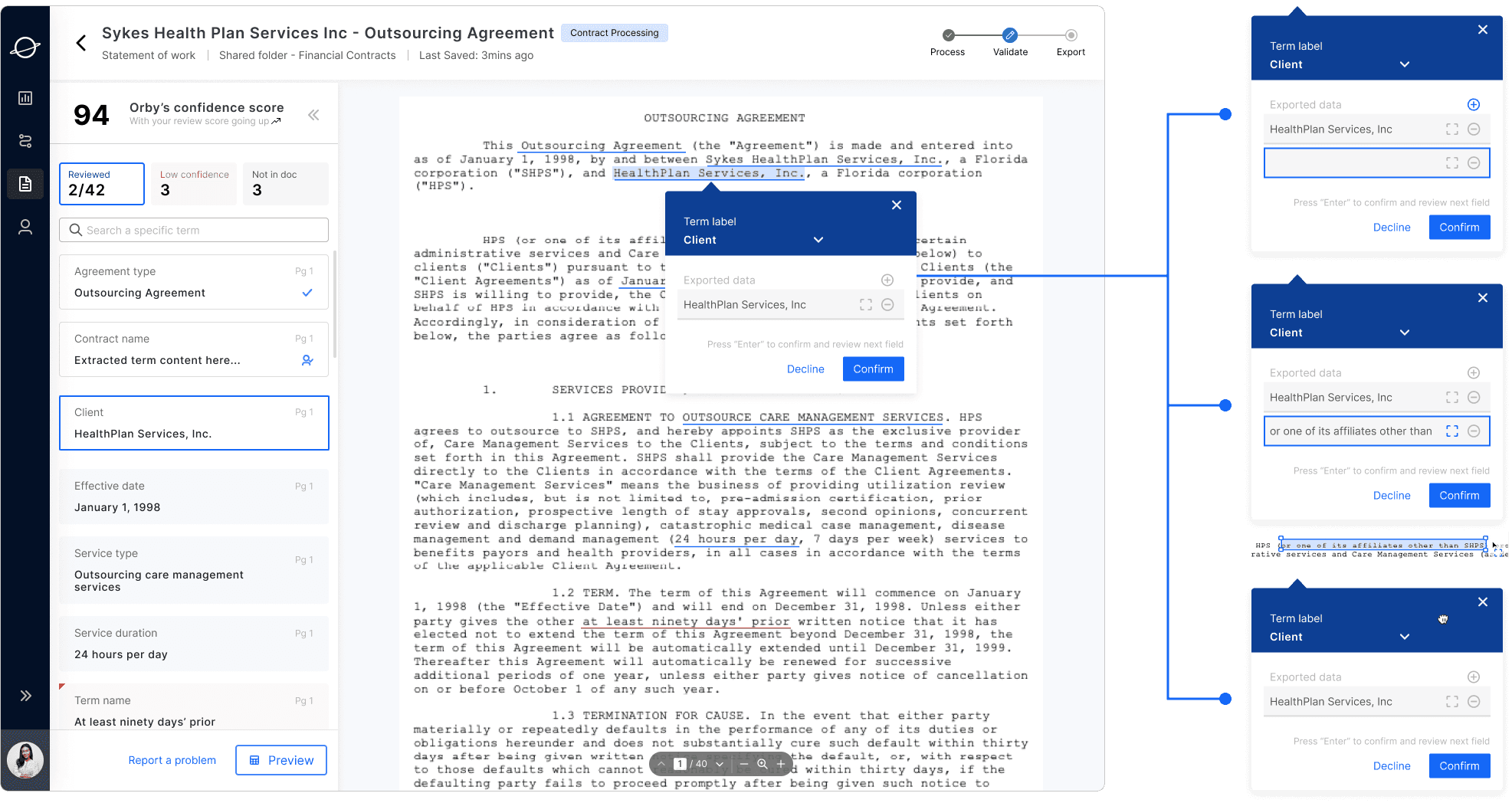
Users can drag the floating card to view the full content below.
By clicking the “Select” icon, uses can draw a rectangle around content they want to add, and Orby will auto-fills the data line.
When the user spots the extra contents to add, they can click the plus button, a new empty line will pop up in the floating card
Design
Not in Doc
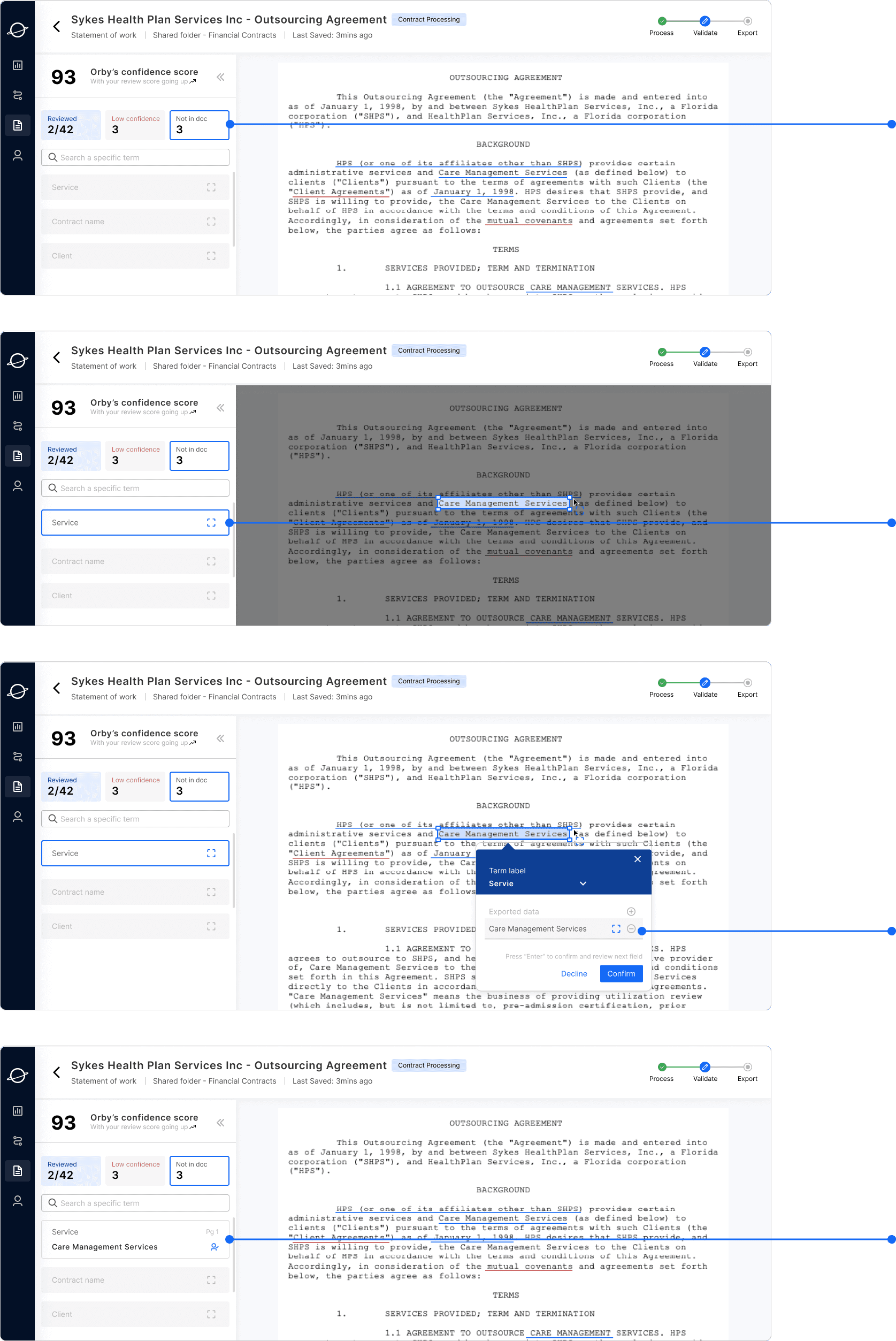
Once the user clicks confirm, the term content is added in the card
User double clicks the entity box to activate it then user can select the content from the right panel
Once the cursor stops, the term is auto-filled in the floating card, user can click the select box to re-crop the texts
When users need to add a “not in doc” term content
Design
Long Paragraph
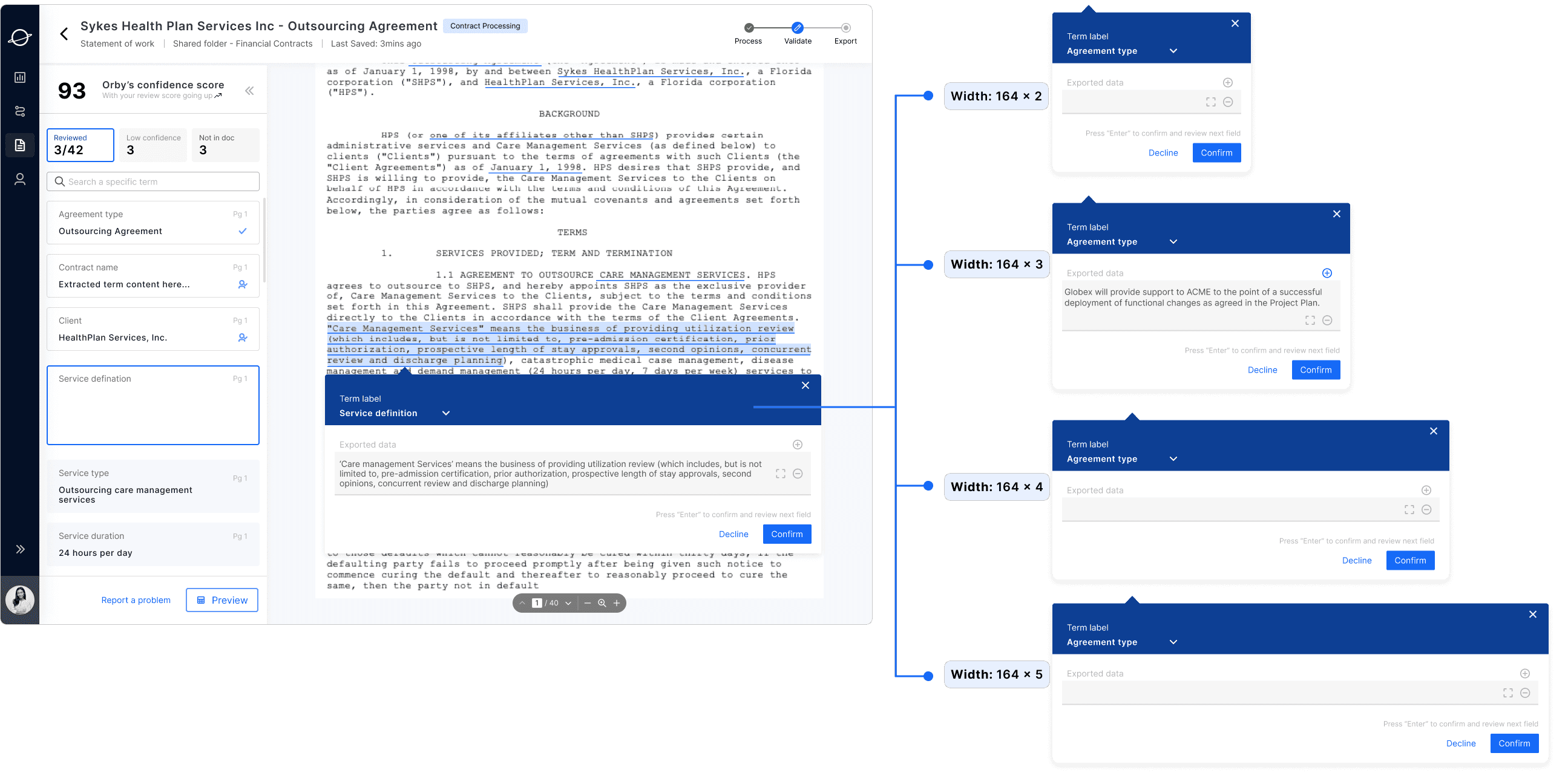
In order to increase the readability of the long-paragraph content, we set different floating card modal dimension: 164 x1/x2/x3/x4/x5, limit the height of the modal 440 max
Design
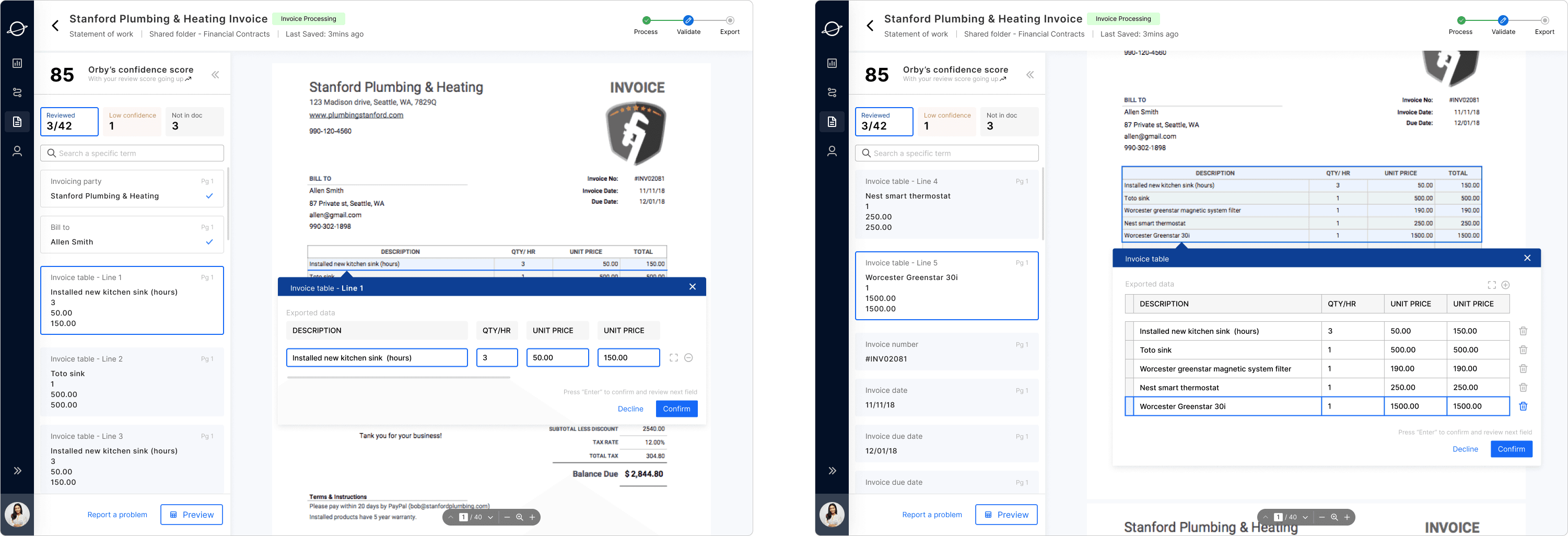
Table Structure
VARIATION 1
VARIATION 2
The table items are recognized line by line.
The table items are recognized line by the overall form area. The sequence of line item can be altered. The user can delete a line by clicking the removing button.