0 TO 1 PROJECT
Orby Dashboard
Turning workflow data into actionable insights
Design the dashboard that helps administrators track automation performance, surface key metrics, and quickly identify outliers.

Overview
Challenge:
As Orby expanded to support multiple AI-automated workflows, teams needed a way to monitor system performance and daily operations. Administrators needed visibility into automation impact and team performance, while end users needed clear signals on which terms or tasks required extra attention.
Context:
Through stakeholder interviews and user research, we identified three key needs: understanding automation ROI, monitoring team performance, and detecting low-accuracy terms or workflow issues. These insights informed a dashboard that surfaces key metrics, highlights alerts through an insight panel, and supports drill-down analysis of users and workflow data.
Result:
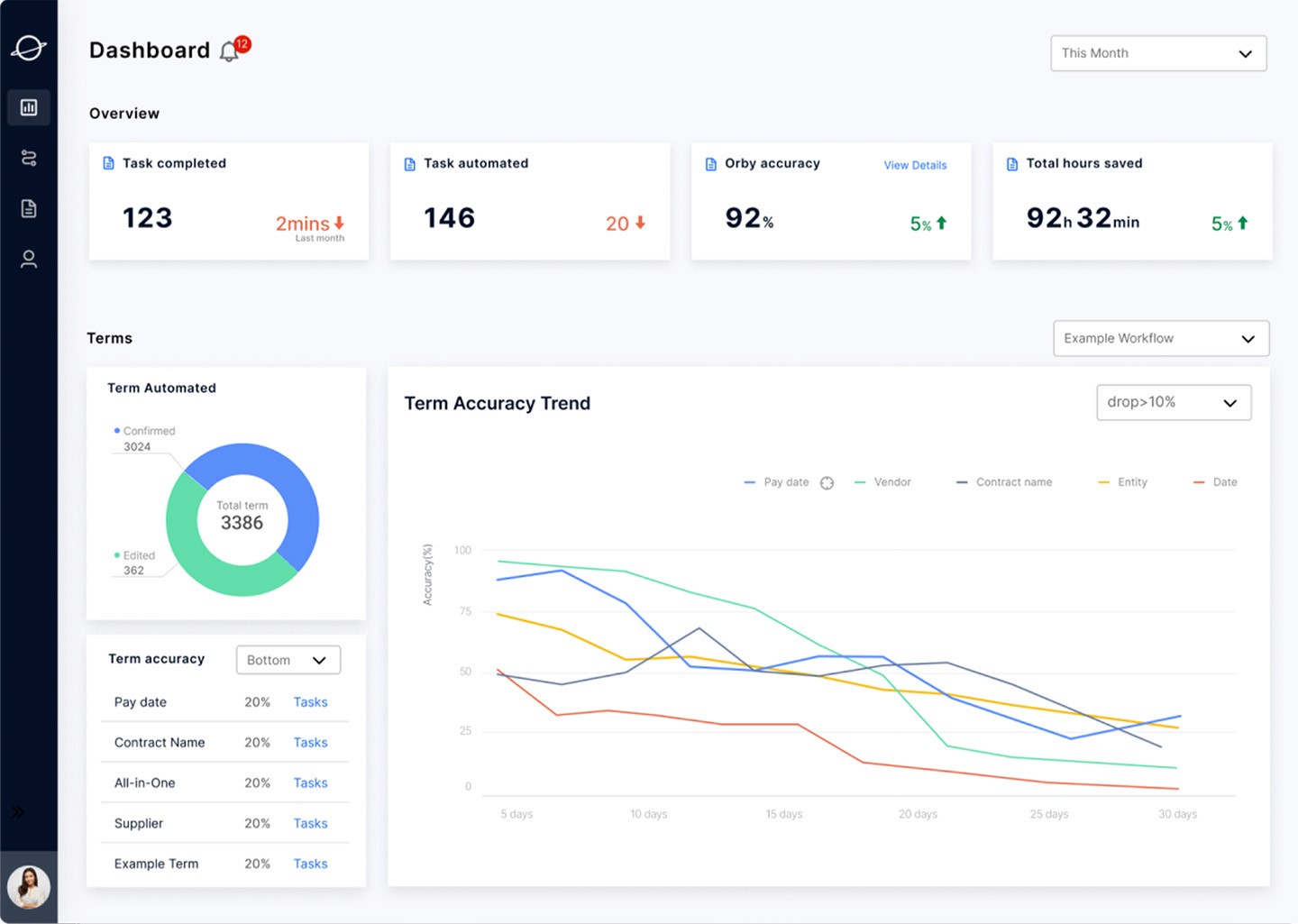
Operational Overview Dashboard
A centralized view that surfaces key workflow metrics, alerts, and performance insights. Administrators can quickly monitor automation activity, detect anomalies, and drill down into user or workflow data for deeper investigation.
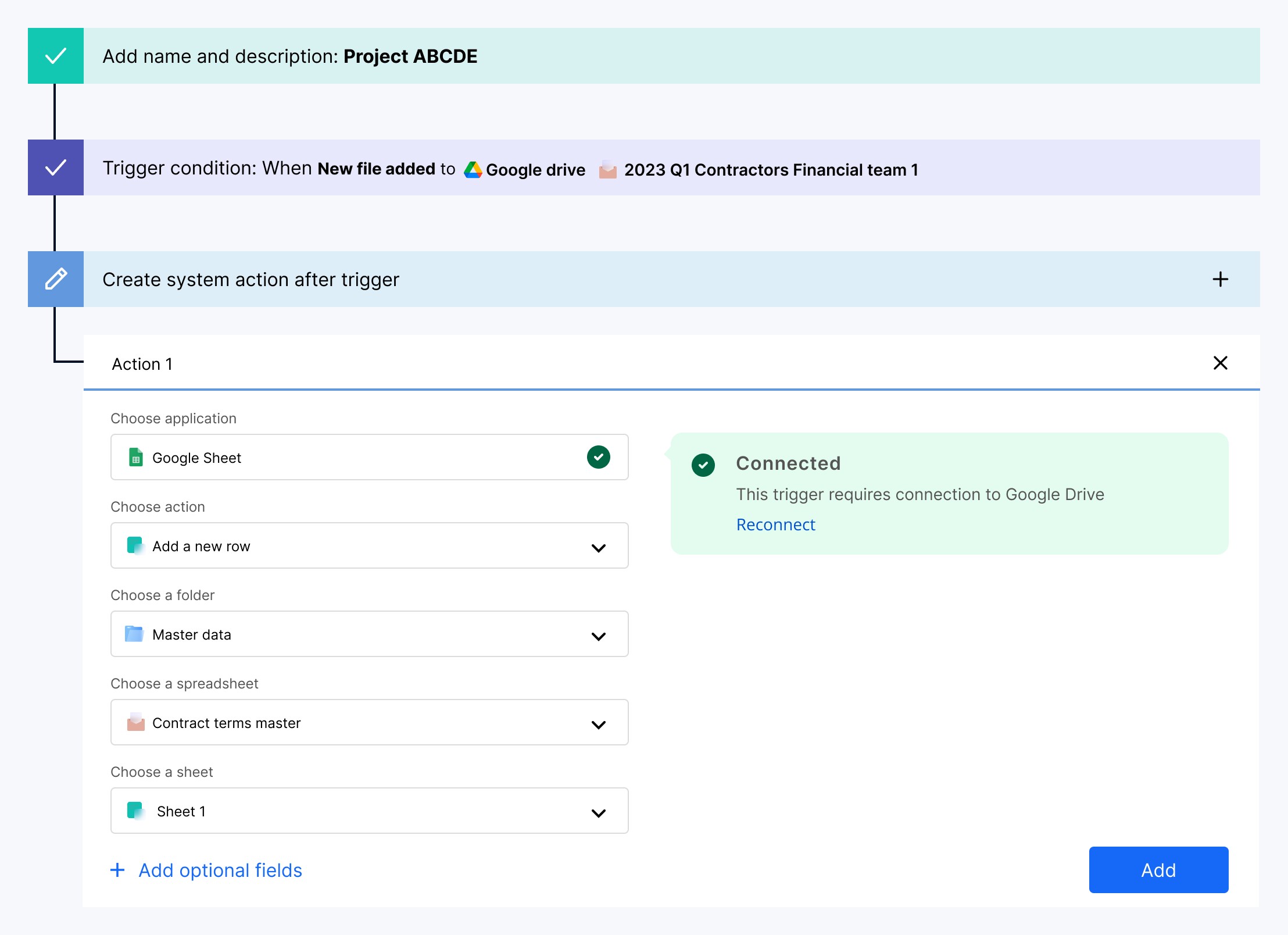
Workflow Creation
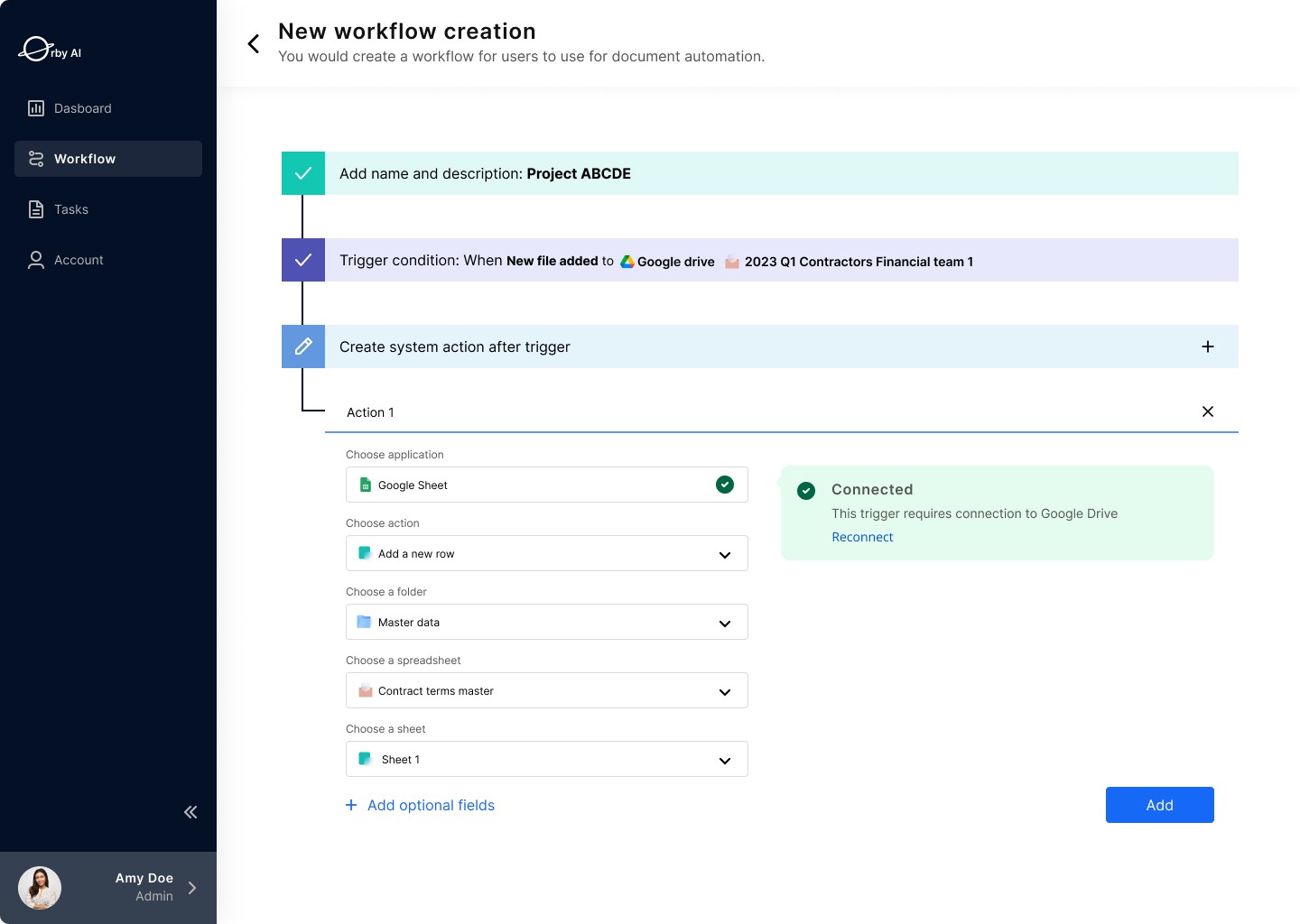
A guided workflow builder that helps administrators quickly set up new automations. Users can define triggers, connect external applications such as Google Drive, and configure system actions through a clear step-by-step process, making it easy to launch automated workflows with minimal setup.
Workflow Grid View Library
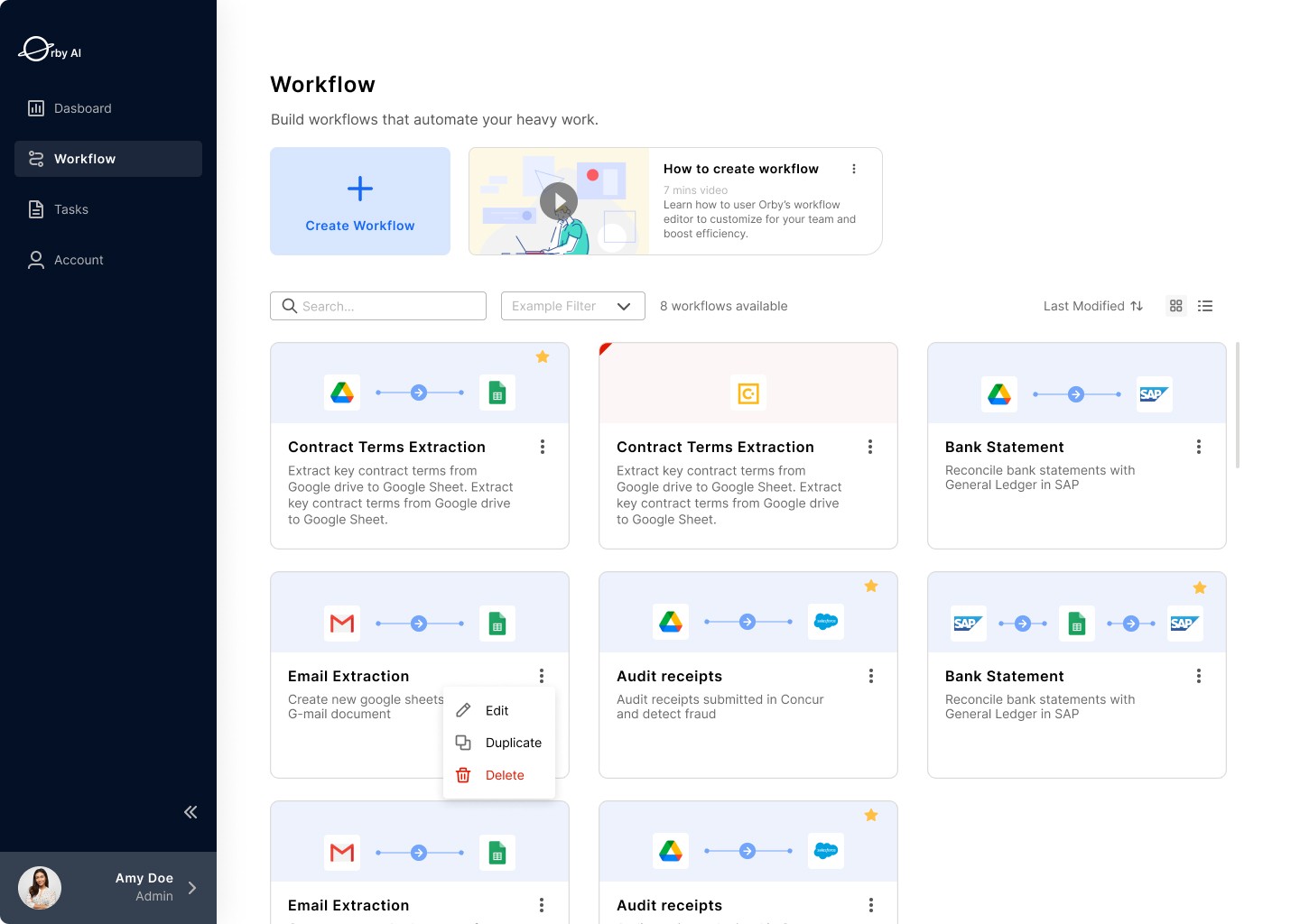
A centralized workspace where administrators can browse, manage, and launch automated workflows. The grid layout provides a quick overview of available automations, with tools to search, filter, edit, or duplicate workflows, making it easy to organize and scale automation across teams.
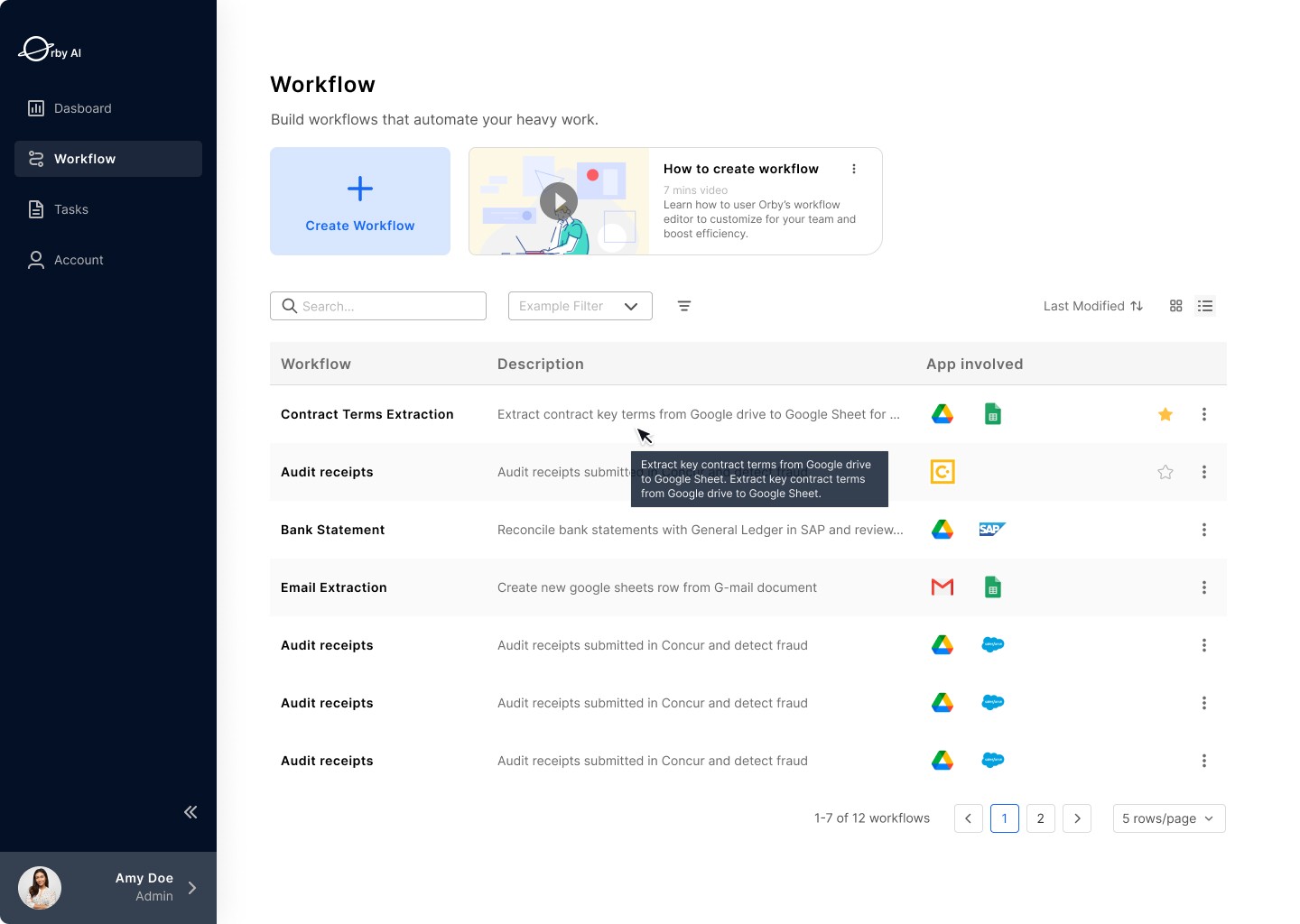
Workflow List View Library
A structured table view that helps administrators quickly scan and manage workflows. Key details such as workflow name, description, and connected applications are surfaced in a compact layout, enabling easy comparison, organization, and management of automation processes.
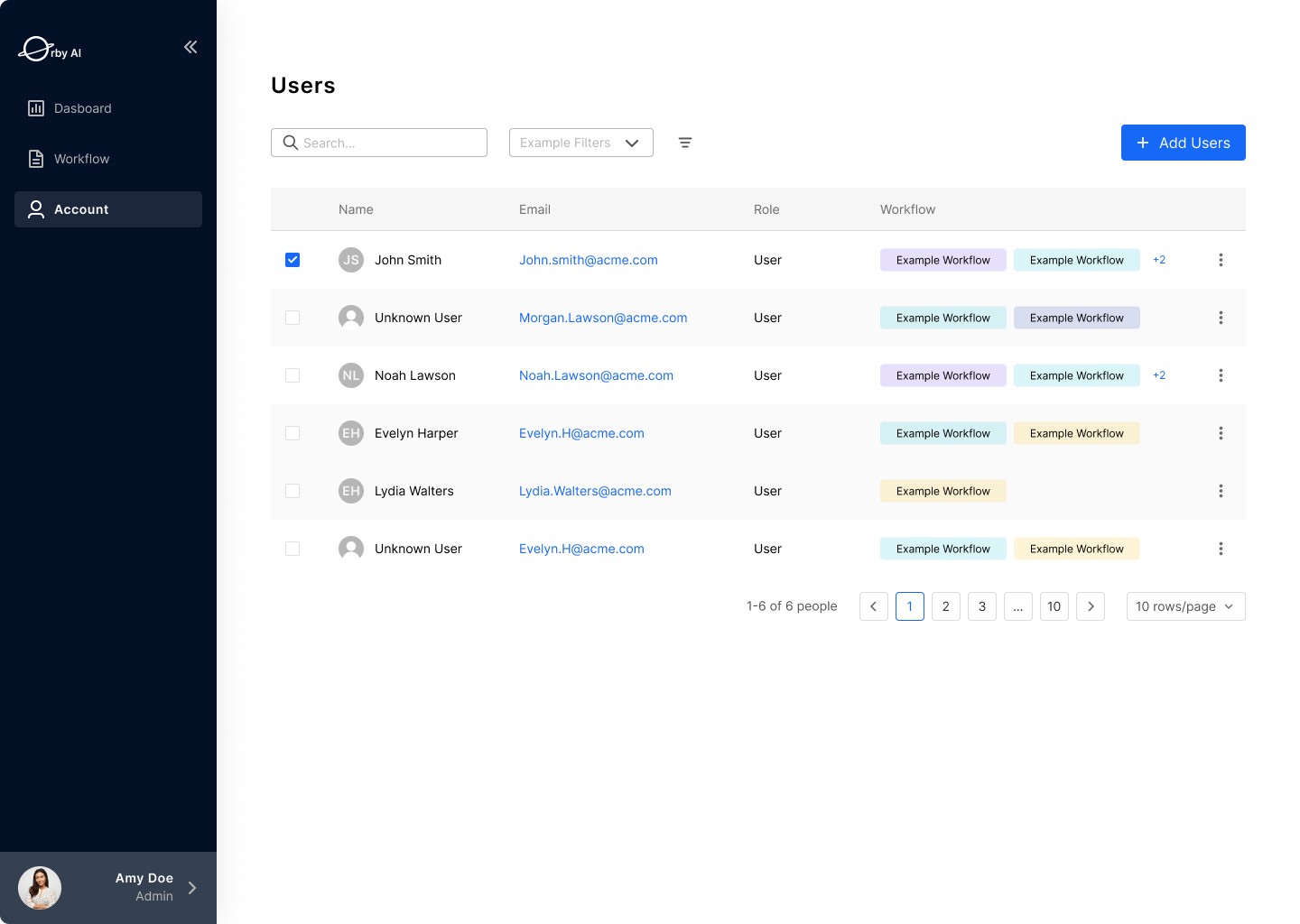
User Management
A centralized interface for administrators to manage team members and workflow access. Admins can easily view user roles, assign workflows, and add or update users, ensuring the right people have access to the right automations.